
ZKin Watch Red Blue Sports
Personalization
0.0
379 التحميلات
"The Watch supports running on Wear OS"
التثبيت على Google Play
تطبيق مدفوع




عن هذا التطبيق
More coupons:https://www.facesapps.com/brand/327
More Watchs:https://play.google.com/store/apps/dev?id=9082617204511160070
The Watch supports running on Wear OS
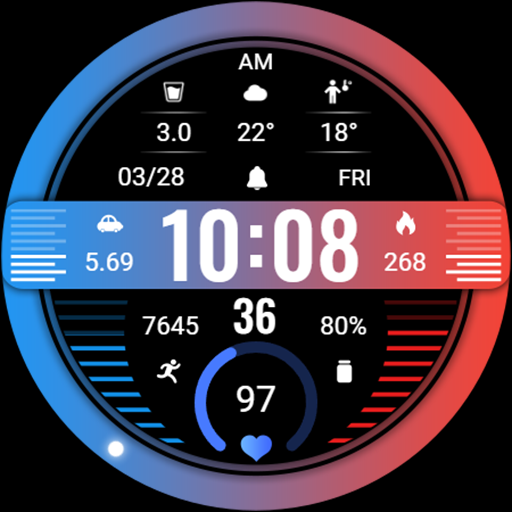
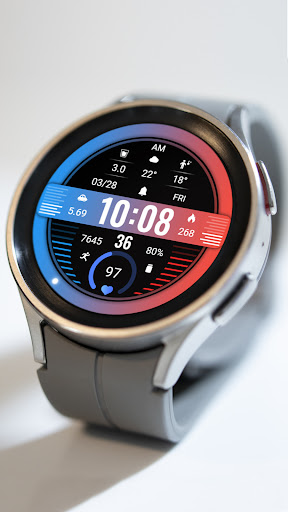
1. Top: Morning and Afternoon, Custom Data, Date, Custom APP, Week
2. Central region: 24-hour progress, distance, time, calories
3. Bottom: Steps, Step Target Percentage Progress, Seconds, Battery and Percentage Progress, Heart Rate, Heart Rate Percentage Progress
Customization: Multiple customization areas are available for selection
Compatible devices: Pixel Watch, Galaxy Watch 4/5/6/7 and above, and other devices
How do I install the watch face on WearOS ?
1. Install it from Google Play Wear Store on your watch
2. Install the companion app for fully customization (Android phone devices)
معلومات التطبيق
إصدار
تم التحديث في
Oct 19, 2026
الحجم
يتطلب أندرويد
معرف الحزمة
com.watchfacestudio.RedBlueSports
مثبت
379
الفئة
Personalization
ما الجديد
Update: Support for higher versions
More watch faces: https://zkinwatchfaces.com/
أذونات التطبيق
-
Other
- Google Play license check

التقييمات والمراجعات
0.0
إجمالي التقييمات
5
4
3
2
1
T
Trina Bexfield
Apr 20, 2025
Unable to edit in the Pixel Watch app!


