Bridging LCD For Wear OS
Personalization
0.0
0 Downloads
"These watch faces run on Wear OS"
Install on Google Play
Paid App


About this app
Bridging LCD For Wear OS
These watch faces run on Wear OS
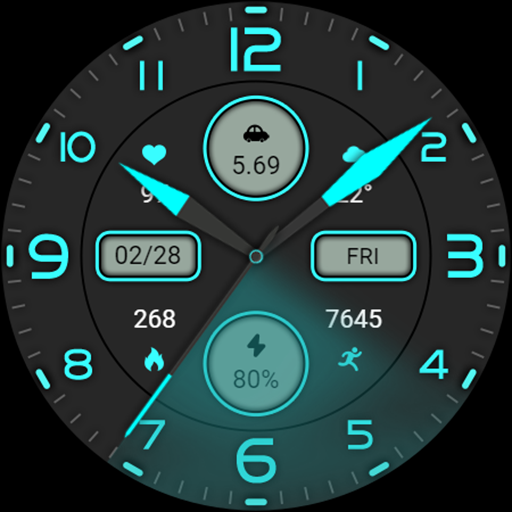
1. Left side: Steps and progress bar, pointer clock, time, heart rate and progress bar
2. Middle: date, morning and afternoon, calories, alarm clock, music
3. On the right: pointer for distance, week, battery level, and percentage
Compatible with devices: Pixel Watch, Galaxy Watch 4, Galaxy Watch 5, Galaxy Watch 6 and other devices
How do I install the watch face on WearOS ?
1. Install it from Google Play Wear Store on your watch
2. Install the companion app for fully customization (Android phone devices)
These watch faces run on Wear OS
1. Left side: Steps and progress bar, pointer clock, time, heart rate and progress bar
2. Middle: date, morning and afternoon, calories, alarm clock, music
3. On the right: pointer for distance, week, battery level, and percentage
Compatible with devices: Pixel Watch, Galaxy Watch 4, Galaxy Watch 5, Galaxy Watch 6 and other devices
How do I install the watch face on WearOS ?
1. Install it from Google Play Wear Store on your watch
2. Install the companion app for fully customization (Android phone devices)
App Info
Version
Updated on
Oct 11, 2026
Size
Requires Android
Package ID
com.watchfacestudio.BridgingLCD
Installs
0
Category
Personalization
What's New
Release a new watch companion to help quickly install watch face on mobile devices.
More watch faces: https://zkinwatchfaces.com/
More watch faces: https://zkinwatchfaces.com/
App Permissions
-
Other
- Google Play license check