

JW027 MP jwstudio
Personalization


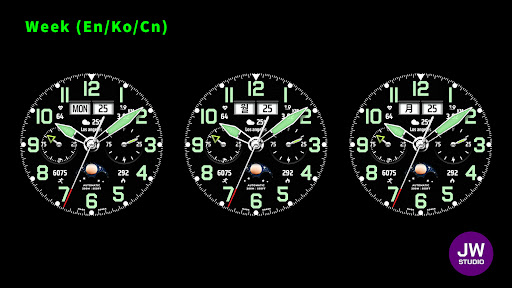


About this app
+++++++++++++++++++++++++++++++++++++++++++++++
[How to install]
Before pressing the payment button, make sure your watch is selected.
Select your watch by pressing the small triangle next to the payment button.
Select the menu at the top right of the Play Store app (three dots) > Share > Chrome browser > Install on other devices > Clock and proceed.
After installation, select it from the download list, register it as a favorite, and use it. You can view the download list by clicking 'Add Watch Screen' on the far right of the favorites list that appears when you press the watch screen.
+++++++++++++++++++++++++++++++++++++++++++++++
[function]
- 4 preset app shortcut
- 4 customizable shortcut keys
- 1 customizable fields/information display
- Changeable background color, hands, index
+++++++++++++++++++++++++++++++++++++++++++++++
[Custom]
1 - Touch and hold the display.
2 - Tap on Custom Options
For inquiries, please contact the email below.
[email protected]
App Info
What's New
- Support Android Target SDK 33 (Wear OS 5)
- Support Companion app Target API level 35
App Permissions
-
Wearable sensors/Activity data
- body sensors (like heart rate monitors)
-
Other
- control vibration
- prevent device from sleeping


Ratings and Reviews
great face watch. by no means perfect. example if you choose the black background, it only gives you the green neon for other coloring. if you want to get rid of that color, you need to select white background or something else. for the hand style, also same problem, is green unless you select a different hand style. solution is to add more color palletes so those wanting black background can do so without the green theme alongside it. also a way to change color for hand style if possible.
Cannot customize. Crashes the wear app or kicks you out to the main screen when you try and change something. s24 Ultra phone and Galaxy Watch Ultra
A very simple to read yet very functional watch face. Love the options available to make it my own.
A+++
Can't actual change the complications.. Can't change complications on the phone or watch. Can't get out of the screen on the watch within the Google play store. Possibly going to have to hard reset the watch . Installation is not the problem... Once it's installed you can't get out of the screen in Google play store. The complications are broken period. Requesting refund.. Beta test better.
Great classical face love it.


