

Destination Under Water
Personalization
0.0
38 Descargas
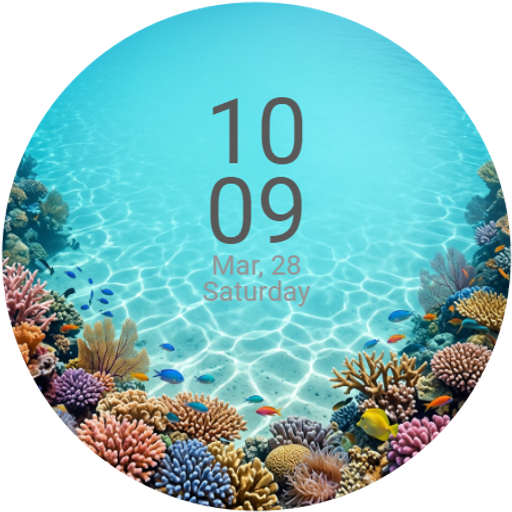
"Enjoy a nice under water scene on your watch"


Acerca de esta app
INSTALLATION:
1. Please make sure you watch is connected to your phone via Bluetooth
2. You can also install this watch face by accessing the Google Play Store in the web browser in a PC or Laptop with the same account you made the purchase from to avoid double charge.
3. If PC/laptop not available, you can use the phone web browser. Head over to the Play Store app, then to the watch face. Click the 3 dots in the upper right hand corner then Share. Use the available browser, I suggest Samsung Internet app, login the account you made the purchase from and install it there.
4. You can also check the Samsung Developers video installing Wear OS watch face in so many ways: https://youtu.be/vMM4Q2-rqoM
Our watch face apps are thoroughly tested in a real device (Galaxy Watch 4 Classic) and are reviewed and approved by the Google Play Store team before publishing them. We love to share our work and make sure users will enjoy our watch faces.
FEATURES:
- Digital clock
- One complication designed to be used as weather
- Wrist control action!
- Battery level indicatated by color changing progress bar on divers tank
Please enjoy!
Made for WearOs
CUSTOMIZATION:
1. Press and hold display then hit "Customize".
2. Swipe left and right to choose what to customize.
3. Swipe up and down to choose options available.
4. Hit "OK".
Check out RAJ CoLab updates at:
WebSite:
http://www.rajcolab.com
Facebook page:
https://www.facebook.com/RAJCoLab/
Developer page:
https://play.google.com/web/store/apps/dev?id=5910798788508387665
For support and request, you can email me at [email protected]
Info de la App
Versión
Actualizado el
N/A
Tamaño
Requiere Android
ID del paquete
com.rajcolab.underwater
Instalaciones
38
Categoría
Personalization
Permisos de la aplicación
-
Other
- control vibration
- prevent device from sleeping

Apps similares

Poly World Animated Watch Face
Culturxp Studio
0.0

Summer Watch Face Animated
Inked Face Studio
0.0
Tropical Reef Bloom
ARMAX
0.0

AbeOrbit Underwater Friends
AbeOrbit
0.0

EXD076: Coral Charm Face
Executive Design Watch Face
0.0

Sea - Flat Watch Face
out of the blue
0.0
Más del desarrollador

ArrowFlow
Titanium Cyborg Systems (TCS) Services
0.0

Fit Fun
Titanium Cyborg Systems (TCS) Services
0.0

Mystic Moon
Titanium Cyborg Systems (TCS) Services
0.0

3 Body Problem
Titanium Cyborg Systems (TCS) Services
0.0

Skinny
Titanium Cyborg Systems (TCS) Services
0.0

EV Dash
Titanium Cyborg Systems (TCS) Services
0.0