




À propos de cette app
Back up and sync your contacts across all your devices
• Keep your contacts safely backed up to your Google Account
• Access your contacts from anywhere you’re signed in, including your next phone
• Recover contacts deleted in the last 30 days from Trash
Keep your contacts organized and up to date
• View your contacts by account (such as work or personal)
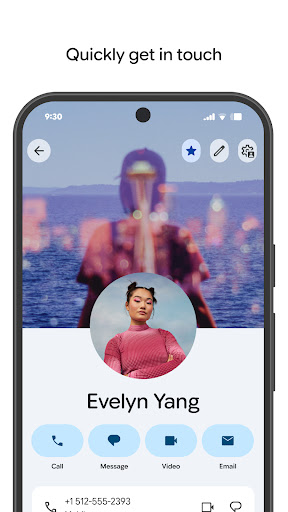
• Easily add contacts and edit information like phone numbers, emails, and photos
• Get help merging duplicate contacts, adding useful details, and more
Connect with the people who matter most
• View highlights, like upcoming birthdays and anniversaries
• Add notifications so you never miss a special day
• Easily access contacts you recently added or viewed
Also available for Wear OS, including a favorite contacts tile, individual contact tile, and contact complication
• Keep your contacts safely backed up to your Google Account
• Access your contacts from anywhere you’re signed in, including your next phone
• Recover contacts deleted in the last 30 days from Trash
Keep your contacts organized and up to date
• View your contacts by account (such as work or personal)
• Easily add contacts and edit information like phone numbers, emails, and photos
• Get help merging duplicate contacts, adding useful details, and more
Connect with the people who matter most
• View highlights, like upcoming birthdays and anniversaries
• Add notifications so you never miss a special day
• Easily access contacts you recently added or viewed
Also available for Wear OS, including a favorite contacts tile, individual contact tile, and contact complication
Info App
Version
Mis à jour le
Oct 13, 2026
Taille
Nécessite Android
ID du paquet
com.google.android.contacts
Installations
6.6B+
Catégorie
Communication
Nouveautés
• It’s now easier to select an existing contact to add details to from the contact editor
Autorisations de l'application
-
Identity
- find accounts on the device
- add or remove accounts
- read your own contact card
- modify your own contact card
-
Contacts
- find accounts on the device
- read your contacts
- modify your contacts
-
SMS
- read your text messages (SMS or MMS)
-
Phone
- directly call phone numbers
- read call log
- read phone status and identity
-
Photos/Media/Files
- read the contents of your USB storage
-
Storage
- read the contents of your USB storage
-
Device ID & call information
- read phone status and identity
-
Other
- read sync statistics
- receive data from Internet
- view configured accounts
- view network connections
- measure app storage space
- full network access
- control Near Field Communication
- read sync settings
- run at startup
- use accounts on the device
- control vibration
- prevent device from sleeping
- modify system settings
- toggle sync on and off
- install shortcuts
- read Google service configuration


Notes et avis
4.3
Notes totales
5
4
3
2
1
T
Tejnarain Rai
Oct 18, 2026
Good
S
Shaina Qureshi Qureshi
Oct 18, 2026
best
R
Ruel Bonafus
Oct 18, 2026
good
D
Dejene demisu Demeke
Oct 18, 2026
ok
r
ronaldallan morales
Oct 18, 2026
excelent
m
markgil columba
Oct 18, 2026
Reviews are public and include your account and device info. Learn more


