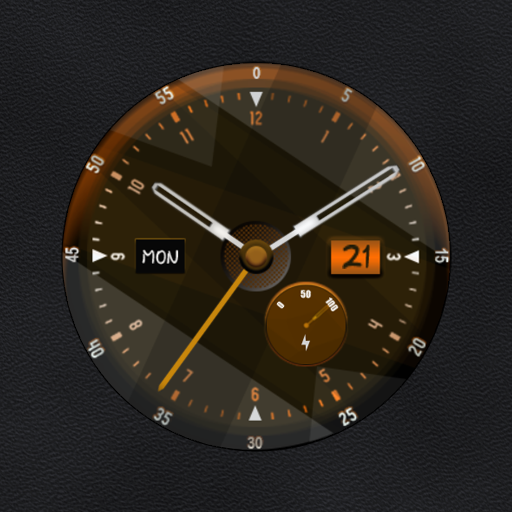
nbWatch: Solar dial
Personalization
4.4
4.6K+ Téléchargements
"Solar Dial watchface displays the sun’s events for the day"


À propos de cette app
This watchface is for Wear OS, shows solar dial with event name, style customization:
- Browse the day's solar events (double tap on the top half of the watch face)
- Change theme color (double tap on the bottom half of the watch face to change)
Event time needs to use GPS location for the most accurate operation
Hold press the screen to select the custom menu for customization:
- Show/hide next of solar event
- Change hour format
- Change clock type: analog/digital
- Background color: follow theme color or black
* AOD supported
**Ads only show up on the mobile companion app to make it more frequent to issue coupons**
+ This watch face is available for trial for 360 minutes
+ When the trial expires, a message to buy Premium (in-app purchase) will appear on the watch face. Double-tap on the screen to proceed with the purchase.
+ To check Premium, hold press the watchface, select custom menu. If you haven't purchased it yet, the Buy Premium button will be available here to purchase it.
And many more features will be updated in the coming period.
Please send any crash reports or request help to our support address.
We appreciate your feedback!
*
Offical site: https://nbsix.com
- Browse the day's solar events (double tap on the top half of the watch face)
- Change theme color (double tap on the bottom half of the watch face to change)
Event time needs to use GPS location for the most accurate operation
Hold press the screen to select the custom menu for customization:
- Show/hide next of solar event
- Change hour format
- Change clock type: analog/digital
- Background color: follow theme color or black
* AOD supported
**Ads only show up on the mobile companion app to make it more frequent to issue coupons**
+ This watch face is available for trial for 360 minutes
+ When the trial expires, a message to buy Premium (in-app purchase) will appear on the watch face. Double-tap on the screen to proceed with the purchase.
+ To check Premium, hold press the watchface, select custom menu. If you haven't purchased it yet, the Buy Premium button will be available here to purchase it.
And many more features will be updated in the coming period.
Please send any crash reports or request help to our support address.
We appreciate your feedback!
*
Offical site: https://nbsix.com
Info App
Version
Mis à jour le
Nov 15, 2023
Taille
Nécessite Android
ID du paquet
com.nbsix.solardial
Installations
4.6K+
Catégorie
Personalization
Autorisations de l'application
-
Location
- approximate location (network-based)
- precise location (GPS and network-based)
-
Other
- view network connections
- full network access
- run at startup
- prevent device from sleeping


Notes et avis
4.4
Notes totales
5
4
3
2
1
S
Scott Tonkovich
May 27, 2025
I love this watchface but, after upgrading my device, it's no longer available to me. please make this compatible with newer wearables!!
N
Neil Pinney
Mar 27, 2025
Difficult to install premium, but finally got it. Despite have good gps signal for several hours, sunset, twilights, and sunrise aren't remotely accurate for my area. A disappointment as I like the features it's supposed to have.
M
Mahammed Ahmed
Nov 25, 2023
1- Although I bought the premium version, the companion app keeps telling me I need to buy premium. 2- No customization through galaxy wearable app