CELEST5630 Analog Watch
Personalization
0.0
415 Téléchargements
"Analog watch face with chronograph-style subdials, day, date & 30 colors."
Installer sur Google Play
Application payante


À propos de cette app
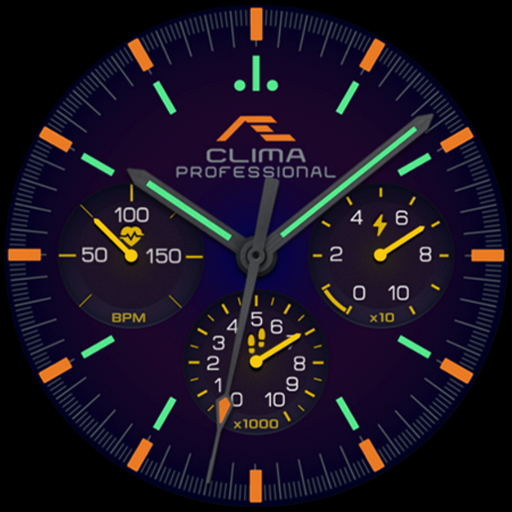
Analog, in the chronograph tradition: CELEST5630 Analog Watch lays out three subdials around a deep dial — the date at three o'clock, a 24-hour clock at six, and the day of the week at nine. Wear OS 5+ required (for weather functions) — Galaxy Watch, Pixel Watch, and all Wear OS 5+ devices.
Bold hour markers and a fine outer minute track give the dial its geometry, while crimson hands with pale tips stay readable against the dark background at any angle. Printed branding sits at twelve o'clock in the manner of a traditional dial, and can be hidden entirely for a clean, unadorned look. The result reads as a proper timepiece rather than a screen.
⌚ Features
- Classic chronograph-inspired analog layout
- Three subdials at three, six, and nine o'clock: date, 24-hour clock, and day of the week
- High-contrast hour markers and a fine outer minute track
- Four optional circular complications for heart rate, battery, steps, or weather
🎨 Customization
- 30 color variations, from vibrant reds and greens to understated classic tones
- Hideable branding for a stealth dial
- Hide one or more subdials and place custom complications in their place
- Four optional color-matched circular complications
✅ Compatible Devices
- Google Pixel Watch/2/3/4/5
- OnePlus Watch 2/2R/3/4
- Oppo Watch X2/X3
- Samsung Galaxy Watch 4/4 Classic/5/5 Pro/6/6 Classic/7/8/8 Classic/9/FE/Ultra (2024)/(2025)/Ultra 2
- Xiaomi Watch 2/2 Pro/5
🎁 BOGO Promotion: https://celest-watches.com/bogo/
✨ Explore the complete CELEST collection in one place — including all Wear OS, HUAWEI, and Apple Watch faces, along with our apps and tools — with the CELEST Catalog app: https://play.google.com/store/apps/details?id=com.celestwatches.catalog
🔧 Installation Help
Having trouble? We've got you covered:
- Use the dropdown menu next to "Install" on your phone to select your watch model or install directly from your watch's Play Store app.
- Updating weather data (if the watch face shows weather) may take time after installation but switching to another watch face and switching back or restarting both the watch and phone usually helps.
- Check out our installation and troubleshooting guide: https://celest-watches.com/installation-troubleshooting/
- Contact us at [email protected] for quick support
📞 Support & Community
📧 Support: [email protected]
📱 Follow @celestwatches on Instagram and subscribe to our newsletter to get notified of new releases and deals: https://celest-watches.com/newsletter/
Info App
Version
Mis à jour le
Aug 05, 2026
Taille
Nécessite Android
ID du paquet
com.watchfacestudio.celest5630
Installations
415
Catégorie
Personalization
Nouveautés
Updated to target Android 16 (API 36).
Autorisations de l'application
-
Other
- view network connections
- full network access
- Google Play license check

Notes et avis
0.0
Notes totales
5
4
3
2
1
R
Rajdeep Talukdar
Mar 04, 2026
classy and elegant watchface
R
Rot Rose
Feb 10, 2026
This Classic WF masterfully blends a vibrant, modern color palette with a sophisticated analog layout. It’s a striking balance of bold personality and timeless elegance that elevates any smartwatch.... thanks 🌷