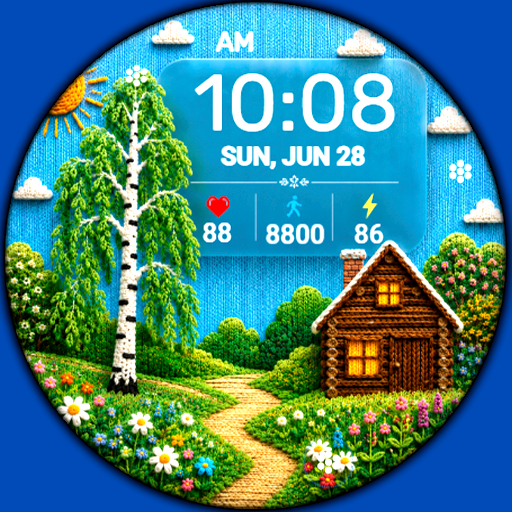
WIN RetroGame Pixel Watch face
Personalization
0.0
275 Téléchargements
"Animated Retro Gaming Watch Face for Wear OS"
Installer sur Google Play
Application payante


À propos de cette app
WIN RetroGame Pixel - animated watch face for Wear OS for retro game fans! Feel like a hero of a pixel quest right on your wrist: steps, heart rate and charge are displayed as in a real game, and the hero comes to life thanks to smooth animation.
Basic moments:
- 12/24 hour digital time (Depending on smartphone settings)
- A high resolution;
- Ability to change color
- Custom complications
- Moon phase display
- AOD mode
Compatible with Wear OS devices running API level 30 and above, including Samsung Galaxy Watch 4, 5, 6, 7, 8 and Pixel Watch.
**Installation**
1. Install the watch face app on your phone.
2. Make sure your Wear OS watch is connected to your phone and uses the same Google account.
3. Select your watch as the installation device and complete the installation.
4. After installation, select the watch face from your watch face gallery.
If installation is delayed, check the internet connection on both devices, wait a minute or two, or restart your watch and try again.
**Customization**
• Touch and hold the watch face, then tap **Customize** to access the available settings.
• For the best experience, we recommend configuring the watch face directly on your watch. Video guide:
https://youtu.be/YPcpvbxABiA
**Support**
If you have any questions or installation issues, please contact: [email protected]
**More watch faces by WIN**
Explore other watch faces:
https://play.google.com/store/apps/dev?id=6789054753742990227
Basic moments:
- 12/24 hour digital time (Depending on smartphone settings)
- A high resolution;
- Ability to change color
- Custom complications
- Moon phase display
- AOD mode
Compatible with Wear OS devices running API level 30 and above, including Samsung Galaxy Watch 4, 5, 6, 7, 8 and Pixel Watch.
**Installation**
1. Install the watch face app on your phone.
2. Make sure your Wear OS watch is connected to your phone and uses the same Google account.
3. Select your watch as the installation device and complete the installation.
4. After installation, select the watch face from your watch face gallery.
If installation is delayed, check the internet connection on both devices, wait a minute or two, or restart your watch and try again.
**Customization**
• Touch and hold the watch face, then tap **Customize** to access the available settings.
• For the best experience, we recommend configuring the watch face directly on your watch. Video guide:
https://youtu.be/YPcpvbxABiA
**Support**
If you have any questions or installation issues, please contact: [email protected]
**More watch faces by WIN**
Explore other watch faces:
https://play.google.com/store/apps/dev?id=6789054753742990227
Info App
Version
Mis à jour le
Oct 18, 2026
Taille
Nécessite Android
ID du paquet
com.watchfacestudio.winRetroGame
Installations
275
Catégorie
Personalization
Nouveautés
New colors added
Autorisations de l'application
-
Other
- full network access

Notes et avis
0.0
Notes totales
5
4
3
2
1
O
Oleg K
Jun 17, 2025
Always enjoyed win's WF's, even if their design is a bit tired and desperately needs a refresh, still, win's the best!
P
Phoebe Kwong
May 07, 2025
I like it 😍