

Windows App
Business



על אפליקציה זו
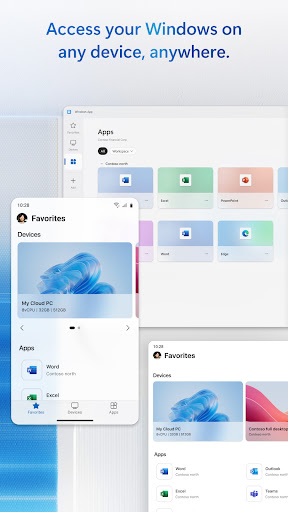
You can use Windows App on all supported Android devices running Android 11 and above: including tablets, smartphones, VR headsets and Chromebooks that support apps from the Play Store. Learn more about features and upcoming releases at aka.ms/WindowsApp
מידע על האפליקציה
הרשאות אפליקציה
-
Location
- approximate location (network-based)
- precise location (GPS and network-based)
-
Photos/Media/Files
- read the contents of your USB storage
- modify or delete the contents of your USB storage
-
Storage
- read the contents of your USB storage
- modify or delete the contents of your USB storage
-
Camera
- take pictures and videos
-
Microphone
- record audio
-
Wi-Fi connection information
- view Wi-Fi connections
-
Other
- Access download manager.
- receive data from Internet
- view network connections
- pair with Bluetooth devices
- full network access
- change your audio settings
- control Near Field Communication
- run at startup
- prevent device from sleeping


דירוגים וביקורות
not stable app..many times doing login issue
my windows to microsoft is google to android and without one for the others doesn't have any purpose of my galaxy Samsung and Amazon fire tablet as well my firestick to have a reasonable functioning without my windows building the creationism I lost and found to correct after 6 months fighting passwords learning how all my devices differentiate in a production the same BUT NOT THE SAME FUNCTIONING SYSTEM FOR MY MICROSOFT AND SAMSUNG DEVELOPER TO KNOX ME FOR CONFUSED OF HOW LOST I AM NOT NOW.
Frustrating to say the least. Remote Desktop connected, but microphone redirection never worked despite hours of troubleshooting permissions, Group Policy, services, reboots, and recreating the connection. On a phone, the interface is also awful: Windows are cut off, parts can’t be viewed or reached, scrolling/taps are unreliable, and scaling is poor. I uninstalled it after wasting hours on a feature that is supposed to be supported.
Always have to force close the app, sometimes minutes after connecting, sometimes immediately. Yet another subpar offrring from a company with too much money. May as well use a FOSS app... microslop 🤢🤮
still learning the form of the app
It took a bit to get the screen size, clipboard access etc to work but once I did it worked well. Very pleased.


