

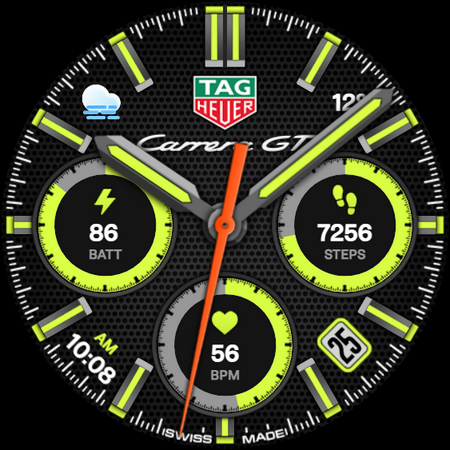
TAG HEUER CARRERA 4 Watch Face
Personalization
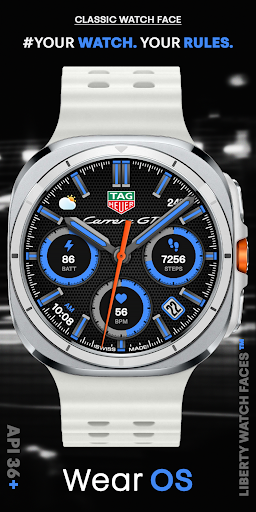




Tentang aplikasi ini
[Wear OS 4+] Devices Only
//Not suitable for rectangular watches
Functionality:
• Analog Style
• Hands Colors
• Background Textures
• Multicolor
• Hidden Customized Zones
• Heart Rate
• Battery Friendly
• AOD Mode Supported
Note: To customize our watch face, long-tap on your watch's screen and press the "Customize" button. After that, you will see the watch face settings listed in the description.
Watch Face Customization Options:
• Color
• 2nd Setting – Changes the background texture.
• 3rd Setting – Turns the hour and minute hands' color on or off.
• 4th Setting – Changes the logo style.
• 5th Setting – Changes the color of the second hand.
Special Thanks For The Companion App To @Bredlix From Github. Companion App Link: https://github.com/bredlix/wf_companion_app
JOIN US: https://t.me/libertywatchfaceswearos
[DO NOT COPY! DO NOT DISTRIBUTE ON THIRD-PARTY RESOURCES! THIS WATCH FACE CREATED DIRECTLY BY THE DESIGNER. ALL RIGHTS RESERVED].
Info Aplikasi
Apa yang Baru
Rating dan Ulasan
can't open
Excellent watch face.
I bought this specifically for the TAG Heuer logo watch face. It previously displayed correctly, but an update has now forced an unwanted digital clock overlay on top of the logo. Changing faces in the customisation settings does not remove the clock, which makes the feature I paid for effectively unusable. This is not a minor cosmetic issue — it fundamentally changes the product from how it originally worked and how it was presented. Refund ?
i still cant get the logo "Tag Heur" in the middle of watch face, which is why I bought the watch face for the logo
logo has disappeared...
Bought this watch face because it had a branded face. Now that's been removed it looks terrible. They should be offering refunds because of the this.
Aplikasi Serupa

Sportive Watch Face

Tag Carrera GT watch face

HMK WA120

Ballozi IGNYT - Hybrid Face

TAG Heuer Porsche Watch face

Formula Tag Heuer
Lainnya dari pengembang

TAG HEUER CARRERA 2 Watch Face

PIXEL INSTINCT 3 Watch Face

TAG HEUER CALIBRE Watch Face

TAG HEUER CARRERA 3 Watch Face

ODYSSEY Digital Watch Face
