
Fast Lane Watch Face
Personalization




Tentang aplikasi ini
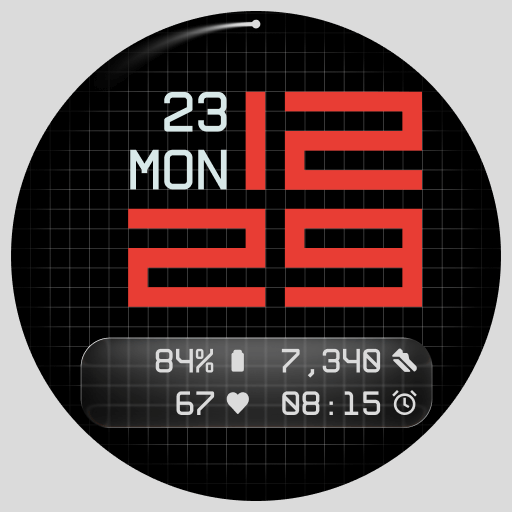
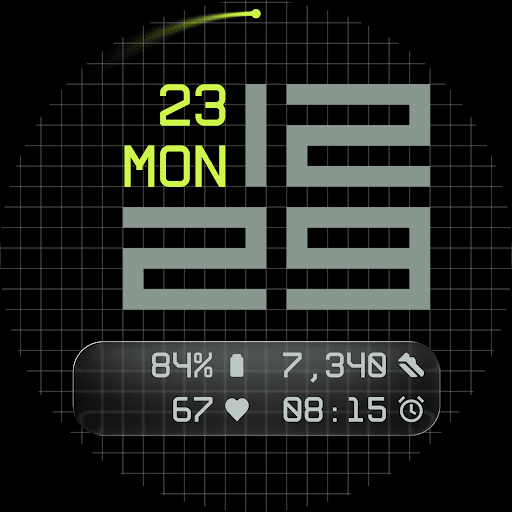
A refined grid serves as the foundation of the watch face, adding subtle structure and texture to the background. The user can select from multiple display styles, including a minimal grid, a softly blurred circular accent, or a translucent UI-inspired glass island that hosts the complications. These layers allow Fast Lane to remain highly configurable while retaining visual coherence.
Five complications are available in total. Four short-text complications are placed neatly within the lower segment of the display, alongside one long-text complication that is ideal for calendar events, moon phase, or Google Assistant. Above, the day and date are integrated into the layout, providing essential information without clutter.
Key Features:
• 5 Customizable Complications
Includes four short-text and one long-text slot for maximum information density
• Modular UI Layers
Choose from background options including a stylized grid, blurred segment, or a translucent UI plate
• Contemporary Time Display
A digital layout that references speed and precision through structured, balanced typography
• Day and Date Built-In
Always accessible in the upper part of the design
• 30 Color Themes
A wide palette to fit any device and lighting condition
• Optional Seconds Indicator
Add or remove seconds from the main display for visual rhythm or simplicity
• 3 Always-On Display Modes
Select from full, dim, or minimal AoD with core data and time retained
• Built with Watch Face File Format
Ensures optimized performance and energy efficiency across all Wear OS devices
Explore the Android Companion App
The optional Time Flies companion app lets you browse the full watch face collection, receive updates, and easily install new styles to personalize your Wear OS experience.
Info Aplikasi
Izin Aplikasi
-
Other
- receive data from Internet
- view network connections
- full network access
- prevent device from sleeping

Rating dan Ulasan
very nice, but not usable with 24h format?
Bug in the number 20, the day and date are on the number, not a side of it.
Very nice watch face, but unfortunately it's a battery hog. (Using original Pixel watch.) I had to uninstall it. update - worked with the developer and adjusted Always on Display settings, which improved performance.
it's a cool watch face, easy to read with a glance. The watch face isn't centered on the screen and I'm not sure if it's intentional or not but I can't I see it now
Simply beautiful with bold numbers for the time and many different customization options, to achieve different styles!


