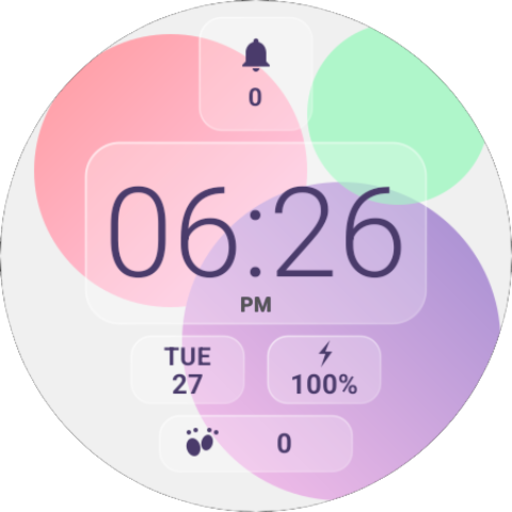
Digital Material You 2
Personalization


Info su questa app
1. Make sure you watch is connected to your phone via Bluetooth.
2. Install, download and open the companion app.
3. Go to the watch Play Store, and type the exact watch name(with correct spelling and spacing) and open listing. If price still appears, wait for 2-5 minutes or restart your watch face.
4. Please also try installing the watch face via Galaxy Wearable app(install it if not installed)> Watch Faces> Downloaded and apply it to watch.
5. You can also install this watch face by accessing the Google Play Store in the web browser in a PC or Laptop. Make sure you use the same account you made the purchase from to avoid double charge.
6. If PC/laptop not available, you can use the phone web browser. Head over to the Play Store app, then to the watch face. Click the 3 dots in the upper right hand corner then Share. Use the available browser, login to the account you made the purchase from and install it there.
About the watch face:
An analog watch face for your Wear OS smartwatch inspired from Material You by Google. With organic shapes and pastel colors, the watch face aims to spice up your watch and bring a consistent UI with your phone.
- 3 customizable complications
- 2 secret app shortcuts on the clock and the steps widget
- 8 color options
- 2 clock styles
More to come in future updates..
Info App
Valutazioni e recensioni
I had given 5 star and won't claim refund. I really like your watch face but you didn't finish on the complications, but its been amazing I love the AOD. Can you finish the complications? and also give option to make the AOD as main watch face I love the minimalism. so fo now I don't know how many stars to put, I love your work. 🇮🇳
Looks great but for the pill in the middle on the 3 option row. When you set it to phone battery it puts the logo on top of the battery percentage which makes it smaller. There is more than enough room to put the logo on the side of the battery percentage to make it bigger.
Very high quality and useful watch face!
Well, this watch face doesn't work for the new version of WearOS such as on the Galaxy Watch 7 devices, for very illogical reasons, because the versions 1 and 3 of this watch face say it's fully compatible with my watch. Edit: it seems like it can be installed now, it was surely updated since my initial review. Still love the watch face as much as on day 1. Thank you!
Very nice looking watch face. However since installing it's causing my pixel watch 3 on latest software random reboots and I no longer have the option for a refund. :(
Looks great but the steps count is a static value. Can you please fix this. Thank you