

iMyTrans - Phone Transfer App
Tools
2.3
297.3K+ Download
"Easily Transfer WhatsApp/Business Data Between Android and iPhone Without a PC!"
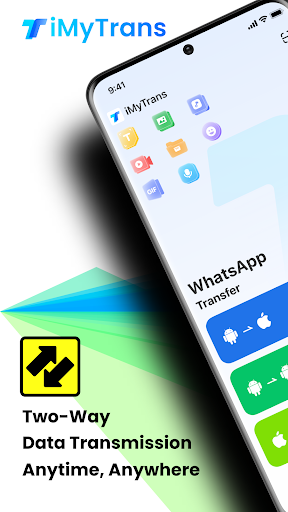


Info su questa app
Want to transfer Chat App and Business Chats data completely between Android and iPhone without a PC?
As a professional between Android and iOS Chat App transfer app, iMyTrans - Phone Transfer App can effortlessly and quickly help you transfer all Chat App and Business chat data to a new phone from an old phone with only one original charging cable.
Key Features:
🚫 PC-Free Transfer: Effortlessly move Chat App and Business chat data between Android and iOS without using a computer.
🔄 Two-Way Transfer: Quickly transfers Chat App and Business chat data from Android to iPhone.
🔌 Direct Connection: Using the original charging cable transfers all Chat App and Business chat data between iOS and Android.
💬Merge chats: Merge chat records with one click and easily integrate all conversations!
📂 Multiple Data Types: Support for up to 8 data types, including texts, photos, audio, videos, files, emojis, and more.
👥 Multi-Account Support: Transfer data across multiple Chat Apps and Business chat data accounts.
✨ New: Now supports iOS 18 and iPhone 16 series!
Fully compatible with the latest iOS 18 and iPhone 16 series. Enjoy the fastest, smoothest data transfer between Android and iOS!
Effortless Data Transfer: Skip the Factory Reset!
❓️Question 1: What about transferring from Android to iOS? Do I need to reset my iPhone???
⚠️Answer: No need! Our product allows direct transfers without resetting your iPhone. While official methods require the iPhone to be new or factory reset, our solution saves you time by avoiding these limitations.
❓️Question 2: Can I transfer data from iOS to Android without a factory reset???
⚠️Answer: Yes, you can use our app! Unlike official methods that only support Samsung, Google phones, or Android 12+ and require a factory reset, our app works with all Android phones and requires no factory reset. It's easy and hassle-free!
Why Choose the iMyTrans - Phone Transfer App?
✅️ Fast: The iMyTrans Chat App transfer app can bring unprecedented data transfer speed. Compared to Move to iOS App or AnyTrans for iOS, the transmission speed of iMyTrans - Phone Transfer App is faster and more stable.
✅️ Convenience: Only one original charging cable transfers Chat App and Business chat data between Android and iOS without a PC.
✅️ Simplicity: We keep the interface clean and provide clear tutorials to help you get through it.
✅️ Security: We highly value your privacy and keep it confidential.
✅️ Unlimited: You can restore multiple file types for transfer without restrictions on their type and size.
How do you transfer Chat App and Business Chats data to a new iPhone from an old Android phone with the iMyTrans Phone Transfer App?
Step 1: Search "iMyTrans" in Google Play on your Android phone, then install the iMyTrans Chat App Transfer app.
Step 2: Connect iPhone and Android devices with an original charging cable.
Step 3: Transfer multiple Chat apps and Business chat data (messages, images, photos, videos, files, etc.) between iOS and Android.
Experience seamless Chat App and Business chat data transfers with our new automated accessibility feature in iMyTrans.
🛠️ Effortless Handling: This feature effortlessly handles Chat App and Business Chats data backup and turns off two-step verification, fully compliant with Chat App's guidelines.
🔒 Data Security: Your data is our priority! iMyTransApp ensures all data is used only for transmission and never stored or shared with third parties.
iMyTrans is developed by Wheatfield Guard Technology Co., Ltd. and is not affiliated with Meta or Chat App.
📚 Need help with how to do it?
•Step-by-Step Guide:https://www.imyfone.com/transfer-backup-restore-whatsapp/guide/
•YouTube How-to Video Guide: https://www.youtube.com/watch?v=QPQeHcjBL10
•Additional Help Guidelines: https://www.imyfone.com/support/imyfone-itransor-go/
•Feedback Email: [email protected]
As a professional between Android and iOS Chat App transfer app, iMyTrans - Phone Transfer App can effortlessly and quickly help you transfer all Chat App and Business chat data to a new phone from an old phone with only one original charging cable.
Key Features:
🚫 PC-Free Transfer: Effortlessly move Chat App and Business chat data between Android and iOS without using a computer.
🔄 Two-Way Transfer: Quickly transfers Chat App and Business chat data from Android to iPhone.
🔌 Direct Connection: Using the original charging cable transfers all Chat App and Business chat data between iOS and Android.
💬Merge chats: Merge chat records with one click and easily integrate all conversations!
📂 Multiple Data Types: Support for up to 8 data types, including texts, photos, audio, videos, files, emojis, and more.
👥 Multi-Account Support: Transfer data across multiple Chat Apps and Business chat data accounts.
✨ New: Now supports iOS 18 and iPhone 16 series!
Fully compatible with the latest iOS 18 and iPhone 16 series. Enjoy the fastest, smoothest data transfer between Android and iOS!
Effortless Data Transfer: Skip the Factory Reset!
❓️Question 1: What about transferring from Android to iOS? Do I need to reset my iPhone???
⚠️Answer: No need! Our product allows direct transfers without resetting your iPhone. While official methods require the iPhone to be new or factory reset, our solution saves you time by avoiding these limitations.
❓️Question 2: Can I transfer data from iOS to Android without a factory reset???
⚠️Answer: Yes, you can use our app! Unlike official methods that only support Samsung, Google phones, or Android 12+ and require a factory reset, our app works with all Android phones and requires no factory reset. It's easy and hassle-free!
Why Choose the iMyTrans - Phone Transfer App?
✅️ Fast: The iMyTrans Chat App transfer app can bring unprecedented data transfer speed. Compared to Move to iOS App or AnyTrans for iOS, the transmission speed of iMyTrans - Phone Transfer App is faster and more stable.
✅️ Convenience: Only one original charging cable transfers Chat App and Business chat data between Android and iOS without a PC.
✅️ Simplicity: We keep the interface clean and provide clear tutorials to help you get through it.
✅️ Security: We highly value your privacy and keep it confidential.
✅️ Unlimited: You can restore multiple file types for transfer without restrictions on their type and size.
How do you transfer Chat App and Business Chats data to a new iPhone from an old Android phone with the iMyTrans Phone Transfer App?
Step 1: Search "iMyTrans" in Google Play on your Android phone, then install the iMyTrans Chat App Transfer app.
Step 2: Connect iPhone and Android devices with an original charging cable.
Step 3: Transfer multiple Chat apps and Business chat data (messages, images, photos, videos, files, etc.) between iOS and Android.
Experience seamless Chat App and Business chat data transfers with our new automated accessibility feature in iMyTrans.
🛠️ Effortless Handling: This feature effortlessly handles Chat App and Business Chats data backup and turns off two-step verification, fully compliant with Chat App's guidelines.
🔒 Data Security: Your data is our priority! iMyTransApp ensures all data is used only for transmission and never stored or shared with third parties.
iMyTrans is developed by Wheatfield Guard Technology Co., Ltd. and is not affiliated with Meta or Chat App.
📚 Need help with how to do it?
•Step-by-Step Guide:https://www.imyfone.com/transfer-backup-restore-whatsapp/guide/
•YouTube How-to Video Guide: https://www.youtube.com/watch?v=QPQeHcjBL10
•Additional Help Guidelines: https://www.imyfone.com/support/imyfone-itransor-go/
•Feedback Email: [email protected]
Info App
Versione
2.5.3
Aggiornato il
Oct 20, 2026
Dimensione
Richiede Android
8.0
ID pacchetto
com.imyfone.waitransorgo
Installazioni
297.3K+
Categoria
Tools
Novità
New features:
1. Performance optimization
2. Transmission improvement
1. Performance optimization
2. Transmission improvement
Autorizzazioni app
-
Location
- approximate location (network-based)
- precise location (GPS and network-based)
-
Phone
- read phone status and identity
-
Photos/Media/Files
- read the contents of your USB storage
- modify or delete the contents of your USB storage
-
Storage
- read the contents of your USB storage
- modify or delete the contents of your USB storage
-
Camera
- take pictures and videos
-
Wi-Fi connection information
- view Wi-Fi connections
-
Device ID & call information
- read phone status and identity
-
Other
- view network connections
- change network connectivity
- allow Wi-Fi Multicast reception
- connect and disconnect from Wi-Fi
- full network access
- reorder running apps
- draw over other apps
- prevent device from sleeping
- Google Play license check


Valutazioni e recensioni
2.3
Valutazioni totali
5
4
3
2
1
R
Raj Bhargava
Jul 25, 2026
Beautiful
S
Shubham Yadav
Jul 25, 2026
nice
K
Kenneth Ammerlaan
Jul 19, 2026
doesnt work
N
Nick
Apr 20, 2026
Good service
O
Orelebile Nkwana
Jan 27, 2026
Misleading and Unprofessional...poses the app as free until you have to start transfer which has to be a paid plan
J
J Roc
Jan 09, 2026
Doesn’t work for noting don’t try this app
App simili

VIVE Connect
HTC America Inc.
0.0

Mutsapper - Chat App Transfer
Shenzhen Wondershare Software Co., Ltd.
3.5

ManageBac
Faria Education Group
2.5
Altro dallo sviluppatore

AI Kiss Video & AI Hug-LitAI
Wheatfield Guard Technology Co., Ltd.
4.3

AI Song & Music Maker-Musicful
Wheatfield Guard Technology Co., Ltd.
4.2

D-Back Pro: Recover Lost Files
Wheatfield Guard Technology Co., Ltd.
3.8

AI Danza: AI Dance Video Maker
Wheatfield Guard Technology Co., Ltd.
4.4

MagicPic AI Photo Editor
Wheatfield Guard Technology Co., Ltd.
0.0

AnyRecover-Data Recovery
Wheatfield Guard Technology Co., Ltd.
2.0