

Atlas Twin: Travel Watch Face
Personalization
0.0
0 Download
"Two time zones, 100 cities and a luminous horizon for your Wear OS watch."
Installa su Google Play
App a pagamento


Info su questa app
Keep your time and another city’s time together. Atlas Twin is a digital Wear OS watch face with two clocks, large numerals, a luminous horizon and a dedicated reference-city capsule.
TWO CITIES, ONE GLANCE
• Main time follows your watch’s time zone.
• Choose your reference city from 100 predefined cities in the watch face settings.
• The capsule shows the city and its time; the date follows that city.
• Both clocks follow your 12- or 24-hour preference, with AM/PM for each time zone.
• The selection includes half-hour and quarter-hour offsets and seasonal clock changes.
MAKE THE DETAILS YOURS
Three palettes—Glacier, Silver and Jade—color the accents, including the aircraft icon and reference-city time. Show or hide the decorative markings to suit your style. Always-on mode keeps the clocks and city name subdued against a black background.
Cities come from a predefined selection, without free-text entry. Long names may be shortened in the capsule; the full name remains available in the editor and below the date when shortened.
The sky is an artistic decoration. When your watch supplies valid weather data, the central point’s color indicates day or night at your current location. Without that data, it stays neutral.
COMPATIBILITY AND SETUP
For compatible watches running Wear OS 5 or later. Install Atlas Twin on your watch from Google Play, then select it from your watch faces. Open the watch face settings to choose your city, palette and markings.
Support: [email protected]
Explore our watch faces: https://abdogomri.github.io/watch-faces/
TWO CITIES, ONE GLANCE
• Main time follows your watch’s time zone.
• Choose your reference city from 100 predefined cities in the watch face settings.
• The capsule shows the city and its time; the date follows that city.
• Both clocks follow your 12- or 24-hour preference, with AM/PM for each time zone.
• The selection includes half-hour and quarter-hour offsets and seasonal clock changes.
MAKE THE DETAILS YOURS
Three palettes—Glacier, Silver and Jade—color the accents, including the aircraft icon and reference-city time. Show or hide the decorative markings to suit your style. Always-on mode keeps the clocks and city name subdued against a black background.
Cities come from a predefined selection, without free-text entry. Long names may be shortened in the capsule; the full name remains available in the editor and below the date when shortened.
The sky is an artistic decoration. When your watch supplies valid weather data, the central point’s color indicates day or night at your current location. Without that data, it stays neutral.
COMPATIBILITY AND SETUP
For compatible watches running Wear OS 5 or later. Install Atlas Twin on your watch from Google Play, then select it from your watch faces. Open the watch face settings to choose your city, palette and markings.
Support: [email protected]
Explore our watch faces: https://abdogomri.github.io/watch-faces/
Info App
Versione
1.1.3
Aggiornato il
Oct 01, 2026
Dimensione
Richiede Android
ID pacchetto
com.observatoire.atlastwin
Installazioni
0
Categoria
Personalization
Novità
First release: two time zones, 100 destinations, corrected sky dome and coordinated accent palettes. Always-on display.
App simili

Space Storm Watch Face
Time Design LLC
4.7

TVV Dynamic Earth Watch Face
TVVisuals
4.1

SG-137
SGWatchDesign
0.0

SamWatch InfoBlock Weather
Samtree
0.0

Watch Face - Heaven
Foodey Inc.
0.0

SG-164
SGWatchDesign
0.0
Altro dallo sviluppatore

Anime Shimeji Screen Pets Live
Magic apps & games
0.0

FieldStamp: GPS Camera Stamp
Magic apps & games
0.0

Signal Digital Watch Face
Magic apps & games
0.0

Atelier Analog Watch Face
Magic apps & games
0.0
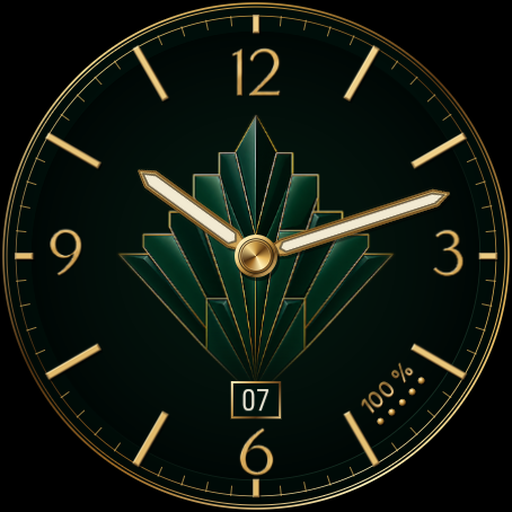
Émail Analog Watch Face
Magic apps & games
0.0

Botanique Nocturne Watch Face
Magic apps & games
0.0