

UsA Cross Analog - USA187
Personalization
0.0
549 Download
"Cross Analog With Digital Time for Wear OS Watch Face"
Installa su Google Play
App a pagamento



Info su questa app
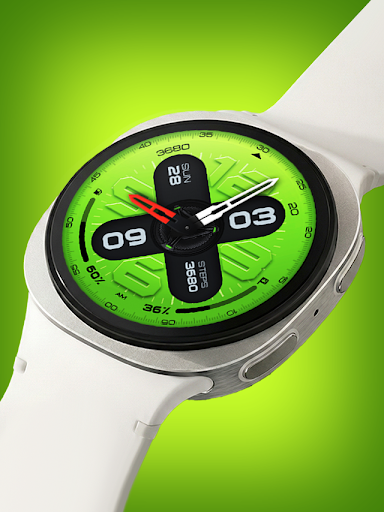
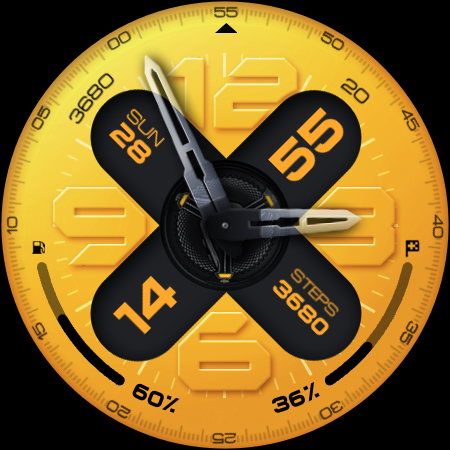
Across style colorful analog with a digital watch face for you. You can also customize each hand style and the overall look, and make it your own unique style.
This watch face requires Wear OS API 34+ (Wear OS 5 or newer). Compatible with Galaxy Watch 4/5/6/7/8 Series and newer, Pixel Watch series and other watch face with Wear OS 5 or newer.
Features:
- Analog witch customisable hand
- Digital time
- Customize back plate style
- Customize cross and text color style
- Customize each hand color
- Custom info
- Minimal AOD
Make sure you are purchasing using the same Google account registered on your watch. The installation should begin automatically on the watch after a few moments.
After the installation is completed on your watch, do these steps to open the watch face on your watch :
1. Open the watch face list on your watch (tap and hold the current watch face)
2. Scroll to the right and tap "add watch face"
3. Scroll down and find new installed watch face in the "downloaded" section
Tap and hold the watch face and go to the "customize" menu (or settings icon under the watch face) to change the styles and also manage the custom shortcut complication.
To change between 12 or 24-hour mode (on digital time layout), go to your phone date and time settings and there is an option to use 24-hour mode or 12-hour mode. The watch will sync with your new settings after a few moments.
Special designed Always On Display ambient mode. Turn on the Always On Display mode on your watch settings to show a low power display on idle. Please be aware, this feature will use more batteries.
Join our Telegram group for live support and discussion
https://t.me/usadesignwatchface
Info App
Versione
Aggiornato il
N/A
Dimensione
Richiede Android
ID pacchetto
com.usadesign.usacrossanalog
Installazioni
549
Categoria
Personalization
Valutazioni e recensioni
0.0
Valutazioni totali
5
4
3
2
1
s
sonia pangalos
Dec 14, 2025
Beautiful watch face, with many options to customise. Very realistic watch face 👌🏻 Love it ♥️
E
Etienne Willemse
Dec 11, 2025
Really superb watch face. Love the design. thank you USA design
S
Satya
Dec 11, 2025
absolute Beauty
v
valentinas 13
Dec 11, 2025
Excellent face, Thanks a lot for your job!
R
Rot Rose
Dec 11, 2025
so beautiful watch face, nice colors and elegant design than kyou
G
Grigorescu Ionut
Dec 11, 2025
Like always UsA is on top ,congrats for design looking awesome 👍


