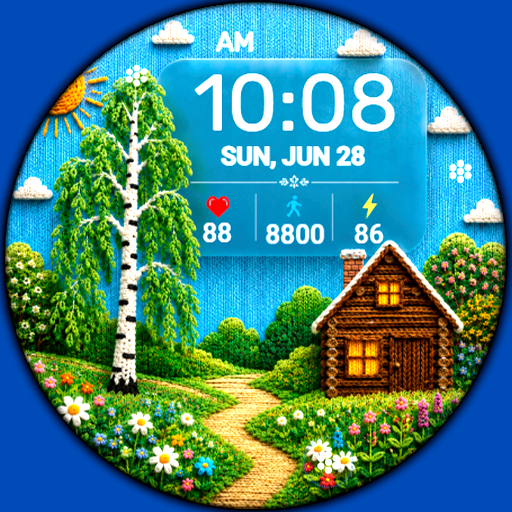
WIN Nuclear Pixel Animation
Personalization


Info su questa app
Please watch the video of how the animation works: https://www.youtube.com/watch?v=pzRoOY1EnkE
Stunning animation and a wide range of functions will decorate the watch of any connoisseur of modern stylish design in an unusual format
FEATURES>
- A high resolution;
- time format 12/24 hours;
- Changeable colors;
- Custom application shortcuts;
- AOD mode
- WATCHFACE INSTALLATION NOTES -
If you have any problems with installation, follow the instructions: https://bit.ly/infWF
Settings
- To customize your watch face, simply touch and hold the display, then tap the Customize button.
Support
- Please contact [email protected].
Check out my other watch faces on the Google Play Store: https://bit.ly/WINwatchface
Compatible with Wear OS devices running API level 30 and above, including Samsung Galaxy Watch 4, 5, 6, 7, 8 and Pixel Watch.
**Installation**
1. Install the watch face app on your phone.
2. Make sure your Wear OS watch is connected to your phone and uses the same Google account.
3. Select your watch as the installation device and complete the installation.
4. After installation, select the watch face from your watch face gallery.
If installation is delayed, check the internet connection on both devices, wait a minute or two, or restart your watch and try again.
**Customization**
• Touch and hold the watch face, then tap **Customize** to access the available settings.
• For the best experience, we recommend configuring the watch face directly on your watch. Video guide:
https://youtu.be/YPcpvbxABiA
**Support**
If you have any questions or installation issues, please contact: [email protected]
**More watch faces by WIN**
Explore other watch faces:
https://play.google.com/store/apps/dev?id=6789054753742990227
Info App
Novità
Autorizzazioni app
-
Other
- full network access

Valutazioni e recensioni
Great watch face with numerous options..
Cool and fun watch face!
Just got this yesterday for my Pixel Watch 2. What an awesome watch face. I like the colors and the animation. 2 questions, first anyway to change from KM to Miles? Also world clock doesn't show the city, just the globe above the time, is that normal?
I remember this style of a Watchface was the first one I downloaded from the Samsung Tizen store, way back when. Still like it a lot, WIN is great!
Good looking watch face but drains battery fast to fast since install had to charge battery 3 times in 1 day drained full battery while I slept for 6 hours just unusable
awesome watchface ٩(๑^o^๑)۶