

Astronomia Mooon
Personalization
3.2
2.1K+ ダウンロード
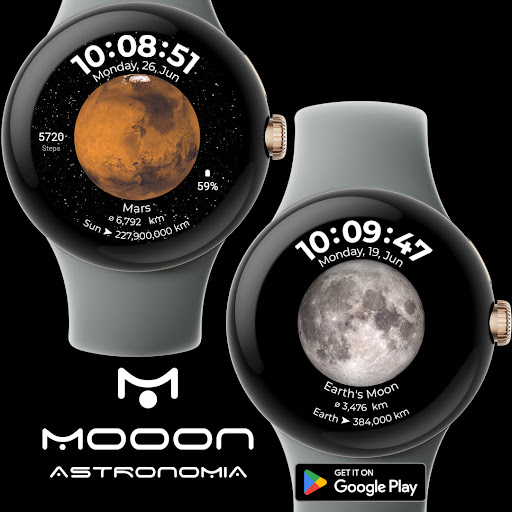
"Watch face with the planets of the solar system and basic information about them"
Google Playでインストール
有料アプリ




このアプリについて
Astronomy Moon Watch Face of Wear OS.
Existing features:
- Digital clock.
- Timestamp displaying day of the week, date and month.
- Watch face includes Always-On Display with green backlight when activated in watch settings.
- Complications available at 4 and 9 o'clock to set according to your preferences.
- About 11.1 hours, click to open any application (as shown in the picture).
- Time available 12/24h.
- Current 1 out of 8 moon positions with the possibility of setting it as invisible - disabled in the settings.
- Stars visible in the distance have a gyro function that move with the option of setting them as invisible - disabled in the settings.
Personalization:
- Changing the wallpaper - photos can be taken by touching the screen.
--- Note: If Google Play says "Incompatible device", open the link in a web search engine on your computer or mobile phone and install the watch face from there. ---
Privacy policy:
Moon Cosmos Watch Face - our application does not collect, use or share any personal information. If you have any additional questions, please contact me at the following e-mail address: [email protected]
Images downloaded and modified for our needs from NASA/ESA.
(Note: If Google Play says "Incompatible device", open the link in a web search engine on your computer or mobile phone and install the watch face from there.)
Have fun ;)
Existing features:
- Digital clock.
- Timestamp displaying day of the week, date and month.
- Watch face includes Always-On Display with green backlight when activated in watch settings.
- Complications available at 4 and 9 o'clock to set according to your preferences.
- About 11.1 hours, click to open any application (as shown in the picture).
- Time available 12/24h.
- Current 1 out of 8 moon positions with the possibility of setting it as invisible - disabled in the settings.
- Stars visible in the distance have a gyro function that move with the option of setting them as invisible - disabled in the settings.
Personalization:
- Changing the wallpaper - photos can be taken by touching the screen.
--- Note: If Google Play says "Incompatible device", open the link in a web search engine on your computer or mobile phone and install the watch face from there. ---
Privacy policy:
Moon Cosmos Watch Face - our application does not collect, use or share any personal information. If you have any additional questions, please contact me at the following e-mail address: [email protected]
Images downloaded and modified for our needs from NASA/ESA.
(Note: If Google Play says "Incompatible device", open the link in a web search engine on your computer or mobile phone and install the watch face from there.)
Have fun ;)
アプリ情報
バージョン
更新日
Oct 16, 2025
サイズ
Android要件
パッケージID
com.mooon.astronomia
インストール数
2.1K+
カテゴリ
Personalization
評価とレビュー
3.2
総評価数
5
4
3
2
1
R
Reinaldo Cartagena
Aug 18, 2026
1it doesnt install in wach
A
Adam Ramadan
Jul 24, 2025
gud
A
Avant Gardley
Sep 07, 2024
Wont transfer to watch
G
Gregory J. Adami
Jun 25, 2024
It would be nice if some day you can add an option for km. to miles, I live in the United States, and unfortunately we have hour own standards. Thank you, stay blessed and be safe 🙏❤
D
Daniel Chan
Aug 31, 2023
bravo


