

Star - Yellow Icon Pack
Personalization
4.6
4.5K+ ダウンロード
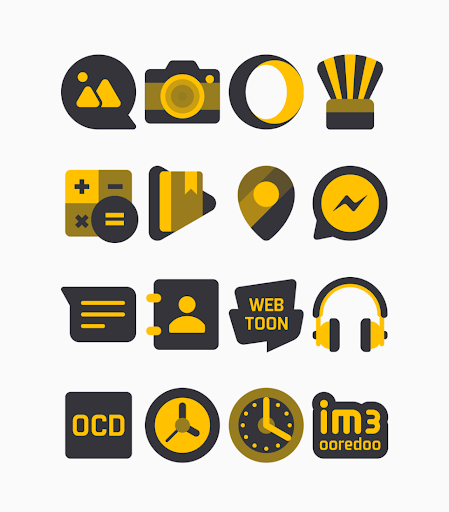
"Star is Yellow and black color shapeless icon pack"
Google Playでインストール
有料アプリ




このアプリについて
Star is Yellow and black color shapeless icon pack
FEATURES
- 3000+ icons and counting
- Alternate icons
- Icon Request
- HD Icon resolution 256x256px
How to apply Star Yellow Icon Pack/Icon Changer ?
Star Yellow icon pack supports numbers of popular launcher such as nova launcher, evie launcher and many more. Follow these steps to apply
1. Open Star Yellow Icon Pack App
2. Navigate to Apply Icon Pack Screen
3. The app shows a list of launcher that are supported such as nova launcher, evie launcher etc. Select the nova launcher installed on your phone to apply icons from this icon pack.
4. The app will automatically applies the icons from Star Yellow icon pack for nova launcher.
Note: If launcher doesn't show while applying from the icon pack. Please try applying from the launcher itself.
Sony Xperia Home Launcher does not appear in this application, but it can apply Star Yellow icon pack with different settings.
The setting for Sony Xperia :
1. Long press on the main screen
2. open the settings
3. Scroll down and open the appearance icon setting
4. choose Star Yellow icon pack
5. done, your Sony Xperia has applied Star Yellow icon.
Note: Icon pack only Support on Sony Xperia Home Launcher 10.0.A.0.8 Or Up.
Supported Launcher:
Icon Pack for Nova Launcher
Icon Pack for Apex Launcher
Icon Pack for ADW Launcher
Icon Pack for ABC Launcher
Icon Pack for Evie Launcher
Icon Pack for Next Launcher
Icon Pack for Holo Launcher
Icon Pack for Lucid Launcher
Icon Pack for M Launcher
Icon Pack for Action Launcher
Icon Pack for Sony Xperia Home Launcher
Icon Pack for Aviate Launcher
Icon Pack for Smart Launcher
Icon Pack for Go Launcher(doesn't support icon masking)
Icon Pack for Zero Launcher(doesn't support icon masking)
More Design Information On Google+, Instagram, Twitter.
https://plus.google.com/118122394503523102122
https://www.instagram.com/panoto.gomo/
https://twitter.com/panoto_gomo
special thanks to Dani Mahardika for Candybar Dashboard.
アプリ情報
アプリの権限
-
Photos/Media/Files
- read the contents of your USB storage
- modify or delete the contents of your USB storage
-
Storage
- read the contents of your USB storage
- modify or delete the contents of your USB storage
-
Wi-Fi connection information
- view Wi-Fi connections
-
Other
- view network connections
- full network access
- run at startup
- set wallpaper
- prevent device from sleeping
- modify system settings
- set an alarm
- Google Play license check


評価とレビュー
4.6
総評価数
5
4
3
2
1
G
Gerardo
Apr 02, 2024
Not bad
M
MUKESH SONI
Feb 15, 2024
Thank you so much for star yellow icon pack...MK ❤️ LOVE FROM INDIA ⭐⭐⭐⭐⭐
U
Uma Kanth
Jan 04, 2024
Superb icon thanks for thanks
S
Sandeep Augustin
Nov 14, 2022
My favourite icons.. i frequently use this...
E
Espen Laub
Jul 14, 2021
Fresh and firm at the same time.
S
Soham Maiti
May 04, 2021
Awesome