

Rivage Analog Watch Face
Personalization
0.0
0 다운로드
"Brushed navy dial, silver hands, weather, steps and four refined accents."
Google Play에서 설치
유료 앱


이 앱 정보
RIVAGE brings together a brushed navy dial, silver hands with ivory inserts and a fine coloured seconds hand. Two recessed subdials give weather and steps a clear place, alongside a framed date window and a subtle battery gauge.
• Hours, minutes and seconds synchronised with your watch.
• Day of the month in a framed date window.
• Battery percentage and an arc proportional to the actual battery level.
• Temperature in °C or °F with weather artwork matched to available conditions.
• Daily steps supplied by your watch’s compatible system complication provider.
• Four accents: Signature, Sand, Glacier and Lavender, selected in the watch face editor.
• Simplified always-on display with hands, twelve hour markers and date.
The hands move above the subdials, like a traditional watch. Always-on mode hides the decorative background, seconds hand, weather, steps and battery.
DATA AND COMPATIBILITY
Weather uses native Wear OS data when it is available and current. Missing, outdated or erroneous temperature data, and an unknown temperature unit, show a dash. An unknown condition is not represented by an invented icon. Rivage does not include a weather provider selector.
Steps depend on your watch’s system complication provider, its availability and required permissions. Rivage displays the values it receives; it does not replace your health app or calculate a personal step goal. Missing step data shows a dash. Battery data comes from your watch.
INSTALLATION
For round watches running Wear OS 5 or later with WFF2 support. Install Rivage on your watch from Google Play, then long-press your current face and choose Add watch face. No phone companion app required. Not compatible with Apple Watch or Tizen. Menu names may vary by watch.
One watch face purchase, with no ads, subscriptions or in-app purchases. No publisher account required. Rivage has no network permission and the publisher does not collect the displayed values. System providers retain their own permissions and privacy policies.
Support: [email protected]
https://abdogomri.github.io/watch-faces/help/?lang=en
Privacy: https://abdogomri.github.io/watch-faces/privacy/?lang=en
• Hours, minutes and seconds synchronised with your watch.
• Day of the month in a framed date window.
• Battery percentage and an arc proportional to the actual battery level.
• Temperature in °C or °F with weather artwork matched to available conditions.
• Daily steps supplied by your watch’s compatible system complication provider.
• Four accents: Signature, Sand, Glacier and Lavender, selected in the watch face editor.
• Simplified always-on display with hands, twelve hour markers and date.
The hands move above the subdials, like a traditional watch. Always-on mode hides the decorative background, seconds hand, weather, steps and battery.
DATA AND COMPATIBILITY
Weather uses native Wear OS data when it is available and current. Missing, outdated or erroneous temperature data, and an unknown temperature unit, show a dash. An unknown condition is not represented by an invented icon. Rivage does not include a weather provider selector.
Steps depend on your watch’s system complication provider, its availability and required permissions. Rivage displays the values it receives; it does not replace your health app or calculate a personal step goal. Missing step data shows a dash. Battery data comes from your watch.
INSTALLATION
For round watches running Wear OS 5 or later with WFF2 support. Install Rivage on your watch from Google Play, then long-press your current face and choose Add watch face. No phone companion app required. Not compatible with Apple Watch or Tizen. Menu names may vary by watch.
One watch face purchase, with no ads, subscriptions or in-app purchases. No publisher account required. Rivage has no network permission and the publisher does not collect the displayed values. System providers retain their own permissions and privacy policies.
Support: [email protected]
https://abdogomri.github.io/watch-faces/help/?lang=en
Privacy: https://abdogomri.github.io/watch-faces/privacy/?lang=en
앱 정보
버전
1.0.28
업데이트 날짜
Oct 10, 2026
크기
Android 요구 사항
패키지 ID
com.observatoire.rivage
설치 수
0
카테고리
Personalization
새로운 기능
Refined hands, hour markers, typography and weather artwork. Simplified always-on display and updated screenshots.
유사한 앱

LDDRMK2
LDDR Apps
0.0

MIMIX Agnes Planet watchface
MIMIX
4.7

ZKin Watch Simple Diamond
ZKin
0.0

Royal Hour Watch Face
Time Design LLC
0.0

Atmospheric Watch Face
Time Design LLC
0.0

Skyleader
Epic Vortex
0.0
개발자의 다른 앱

Anime Shimeji Screen Pets Live
Magic apps & games
0.0

FieldStamp: GPS Camera Stamp
Magic apps & games
0.0

Signal Digital Watch Face
Magic apps & games
0.0

Atelier Analog Watch Face
Magic apps & games
0.0
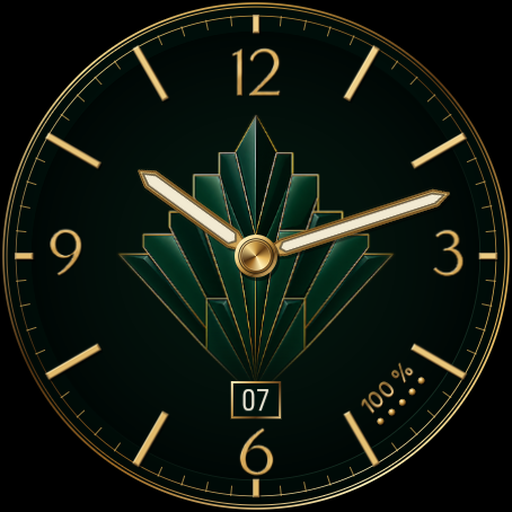
Émail Analog Watch Face
Magic apps & games
0.0

Botanique Nocturne Watch Face
Magic apps & games
0.0