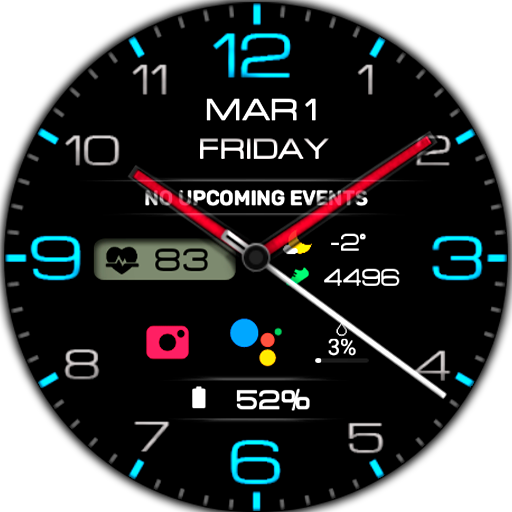
Classic Color Mod Watch face
Personalization
4.3
10K+ 다운로드
"Elegant hybrid watch face for every day for Wear OS"
Google Play에서 설치
유료 앱


이 앱 정보
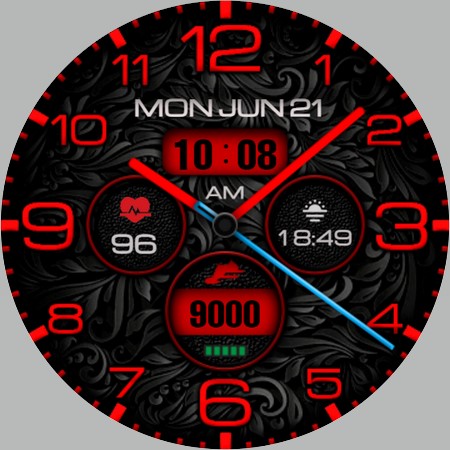
A sleek hybrid, sporty watch face for Wear OS that's the perfect blend of classic analog styling and modern digital functionality. Features customizable complications for a sophisticated yet sporty look. Perfect for everyday use.
Basic moments
- A high resolution;
- Digital time in 12\24 hour format.
- Changeable colors
- Change the color of the hour and minute hands
- Ability to change Styles (backgrounds)
- Custom complications
- AOD mode full and minimal
Compatible with Wear OS devices running API level 30 and above, including Samsung Galaxy Watch 4, 5, 6, 7, 8 and Pixel Watch.
**Installation**
1. Install the watch face app on your phone.
2. Make sure your Wear OS watch is connected to your phone and uses the same Google account.
3. Select your watch as the installation device and complete the installation.
4. After installation, select the watch face from your watch face gallery.
If installation is delayed, check the internet connection on both devices, wait a minute or two, or restart your watch and try again.
**Customization**
• Touch and hold the watch face, then tap **Customize** to access the available settings.
• For the best experience, we recommend configuring the watch face directly on your watch. Video guide:
https://youtu.be/YPcpvbxABiA
**Support**
If you have any questions or installation issues, please contact: [email protected]
**More watch faces by WIN**
Explore other watch faces:
https://play.google.com/store/apps/dev?id=6789054753742990227
앱 정보
앱 권한
-
Other
- full network access

평가 및 리뷰
4.3
총 평가
5
4
3
2
1
D
Dowper (Aleksandar Atanasov)
Jun 21, 2024
Heart rate not synced with Samsung Health's heart rate on Galaxy Watch 6, please fix it! Edit: Working okay now.
D
Dan Herrick
Jun 18, 2024
Sharp and stylish watch face. Decent complications.
D
Daniel Chan
Feb 16, 2024
awesome watchface 😎 like informative watch
E
Etienne Willemse
Oct 12, 2023
Cool 😎
G
GS Adv Rider
Sep 21, 2023
Mantap dan menarik
A
Andy Gold
Aug 13, 2023
Nice watchface! Clear, crisp display. Everything is easy to read and nicely laid out without looking confusing or being too congested!