

GRBL Elegant Watchface
Personalization
0.0
227 Downloads
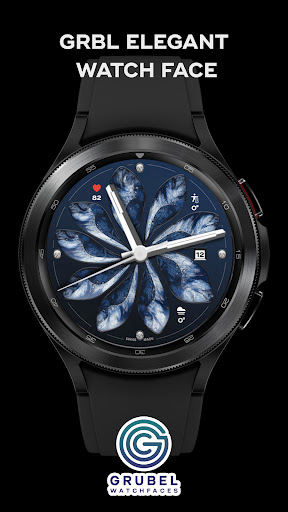
"Elegant WearOS watch face with minimal design, refined details, timeless style."


About this app
Designed for WearOs
If you face any problem, please reach out to us at [email protected]. We’ll gladly provide screenshots and step-by-step instructions to help you install the watch face.
Watch faces do not change automatically after installation. To set it up, return to the home display, tap and hold, swipe to the end, and tap ‘+’ to add the watch face. Use the bezel to find it.
Samsung Developers offer a helpful video showing multiple ways to install a Wear OS watch face:
https://youtu.be/vMM4Q2-rqoM
WEAR OS API Level 34+ devices are supported
FEATURES:
- 3 custom [small box] compilations
- AOD
- Date
- High res
- Battery friendly
Disclaimer:
Each device offers different custom complications, and selection varies by third-party apps. Custom complications shown in store screenshots come from third-party app - Phone Battery Complication
Please keep in mind that any issues on this side are
not caused by the developer/watchface. I have no
control over Google's issues.
Before drop a negative feedback (1 star) on Play Store
for these reasons, please read the guide carefully or
contact me:
[email protected]
App Info
Version
Updated on
Nov 13, 2024
Size
Requires Android
Package ID
com.grubel.elegant
Installs
227
Category
Personalization
What's New
Rollout new companion app
App Permissions
-
Other
- reorder running apps
- control vibration
- prevent device from sleeping


