

Simply Adaptive Icon Pack
Personalization




About this app
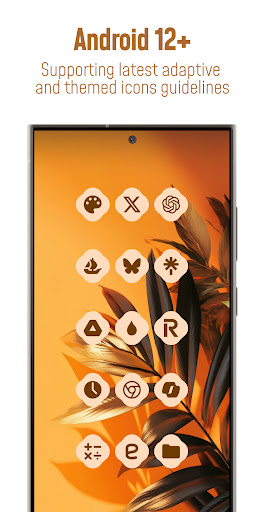
Each icon is in balanced proportions and uses palette that complements themed material you design.
*Please note: Icon colors may vary depending on your device’s launcher, theme settings, or other factors. The screenshots featured in this listing were captured using Nova Launcher—actual results may differ slightly based on your unique setup*
📱FEATURES
• 25.000+ Material You Icons Included
• 50.000+ Apps Themed
• Exclusive Dynamic Wallpapers
• Dynamic Calendars for supported launchers
• Material You User-Friendly Dashboard
• Icon Requests for your apps (Free and Premium)
• Icon Masking with Theme Accent for unthemed apps
• Regular Updates for new icons
🎨CATEGORIES OF ANDROID APPS COVERED
• System Apps
• Google Apps
• Stock OEM Apps
• Social Apps
• Media Apps
• Games Apps
• Many other apps...
📃HOW TO USE / REQUIREMENTS
• Install a compatible launcher listed below
• Open the Icon Pack app, tap on apply or select it in your launcher settings.
✅SUPPORTED LAUNCHERS - THEMED ICONS
Hyperion • Kiss • Kvaesisto • Lawnchair • Niagara • Nothing • Nova Launcher • Pixel (with Shortcut Maker) • Poco • Samsung One UI (with Theme Park) • Smart • Square • Tinybit ...may be compatible with other launchers not listed here!
📝EXTRA NOTES
• A Third-Party Launcher or OEM Compatibility is required for it to work.
• Icon unthemed or missing? Send a free icon request within the app, and I will add it as soon as possible in future updates.
• FAQ section inside the app answers many common questions. Please read it before emailing your inquiries.
🛠SUPPORT
• Email Support : [email protected]
• Telegram Community : t.me/customizerscommunity
🌐FOLLOW ME
• Link In Bio : linktr.ee/pizzappdesign
• Instagram : instagram.com/pizzapp_design
• Threads : threads.net/@pizzapp_design
• X : x.com/PizzApp_Design
• Telegram Channel : t.me/pizzapp_design
• BlueSky : bsky.app/profile/pizzappdesign.bsky.social
• TikTok : tiktok.com/@pizzapp.design
👥CREDITS
• Dani Mahardhika and Sarsamurmu for the app dashboard (licensed under the Apache License, Version 2.0)
App Info
What's New
✅ Added 350+ New Icons
✨ Redesigned 100+ Old Icons
🛠 New Dashboard
💌Icons requested up to 6 July added
📨Icons after 7 July coming next update
⭐️ Don’t forget to rate and review to support development!
App Permissions
-
Other
- view network connections
- full network access
- set wallpaper
- Google Play license check

Ratings and Reviews
some apps icon not changed, even whatsapp also
all other icon packs work fine, so I know it's this one. I can't select any single icon for apps that I want a custom icon. "resource not valid" pops up whenever I try to set an icon.
Not working, tried all settings on OneUI, multiple updates for both Samsung and the Simply adaptive app. This started off working but not anymore, disappointed considering the reviews were so good.
This icon set is awesome, but if you have a changing background, the icons may randomly change color. I do have a changing wallpaper, so I switched to pizzapp's Expressive Night icon pack. It's gorgeous.
DEV RE: I tried to reapply icons but the colors no longer match my wallpaper. I checked all my settings in themes, wallpapers, & launcher and they are set as before. Tried a new wallpaper & the icons color off as well. The adapting is off. The new update ruined my setup. I tried rebooting my phone it didn't help. Some of my apps even disappeared from my home screen. Honestly my fault for not making a backup of the previous APK I guess.
this app is terrible it's a scam


