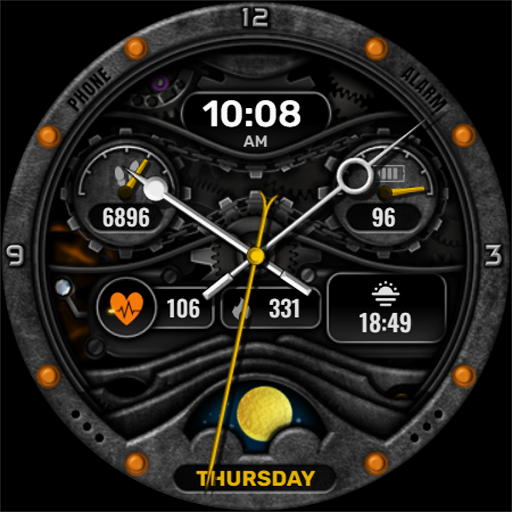
DB065 Kinetic Boost Watch Face
Personalization
0.0
417 Downloads
"Designed exclusively for smartwatches running Wear OS."
Install on Google Play
Paid App


About this app
DB065 Kinetic Boost Watch Face compatible with all Wear OS devices with Level 33+ or Wear OS 4+ ( Samsung Galaxy Watch 4, 5, 6, 7 and others).
Features :
- Analog and Digital Watch ( 12H/24H Format)
- Date and Day
- Heart Rate
- Steps Count and progress
- Battery Status
- 5 Analog Hand
- 1 Editable Complication
- 2 Editable Apps Shortcut
- AOD Mode
- AOD Brightness
- 10 background
- 30 font colors
You can choose your font color to match the background
To customize :
1. Press and hold the watch display
2. Tap the Customize button
3. swipe to the right until you find customize button
3. Tap the customize buton and you can customize the complications with any available data to suit your needs.
If the watch face doesn’t automatically apply to your watch screen after installation, you need to apply it manually from your watch.
App Info
Version
Updated on
N/A
Size
Requires Android
Package ID
com.watchfacestudio.db065kineticboost
Installs
417
Category
Personalization
Ratings and Reviews
0.0
Total ratings
5
4
3
2
1
A
Alan Hill
Apr 01, 2026
Great watch face with multiple colorways. Good layout with easily viewable time, steps, heartrate and battery level. Unsure what the "N" or "L" symbol is under heartrate and it doesn't explain in the store screenshots. Either way, great job!! Really liking this one!