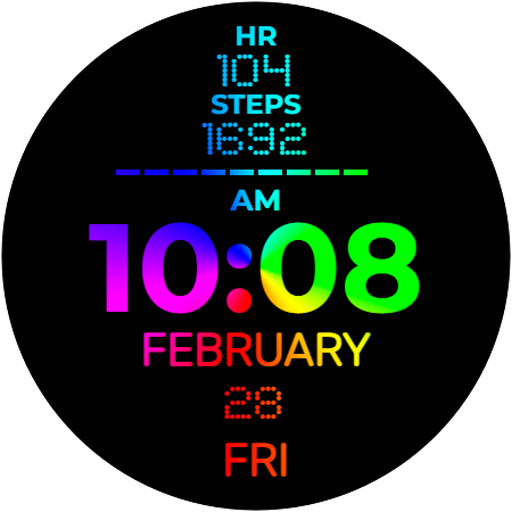
UsA Lines Minimal - USA164
Lifestyle
0.0
306 Downloads
"Unique up to 100.000 style combination watch face for Wear OS"
Installeren via Google Play
Paid App


Over deze app
Make your own style with up to 100.000 line color combination watch face for Wear OS API 33+, support Galaxy Watch 4,5,6,7,8 series and later, Pixel series also supported. Other watch brand please check that your OS is using Wear OS with minimum API 33 / WearOS 4 or later. Make sure your watch is supported before purchasing, contact us if you have an issue with your purchase.
Features :
- Colorful unique digital clock (12/24HR support)
- Customize up to 100.000 line color combination
- Always On Display mode
- 2 complications information that blend with the lines
- 2 app shortcuts
Make sure you are purchasing using the same Google account registered on your watch. The installation should begin automatically on the watch after a few moments.
After the installation is completed on your watch, do these steps to open the watch face on your watch :
1. Open the watch face list on your watch (tap and hold the current watch face)
2. Scroll to the right and tap "add watch face"
3. Scroll down and find new installed watch face in the "downloaded" section
Installation and troubleshooting guide here:
https://developer.samsung.com/sdp/blog/en-us/2022/11/15/install-watch-faces-for-galaxy-watch5-and-one-ui-watch-45
Join our Telegram group for live support and discussion
https://t.me/usadesignwatchface
Features :
- Colorful unique digital clock (12/24HR support)
- Customize up to 100.000 line color combination
- Always On Display mode
- 2 complications information that blend with the lines
- 2 app shortcuts
Make sure you are purchasing using the same Google account registered on your watch. The installation should begin automatically on the watch after a few moments.
After the installation is completed on your watch, do these steps to open the watch face on your watch :
1. Open the watch face list on your watch (tap and hold the current watch face)
2. Scroll to the right and tap "add watch face"
3. Scroll down and find new installed watch face in the "downloaded" section
Installation and troubleshooting guide here:
https://developer.samsung.com/sdp/blog/en-us/2022/11/15/install-watch-faces-for-galaxy-watch5-and-one-ui-watch-45
Join our Telegram group for live support and discussion
https://t.me/usadesignwatchface
App-info
Versie
Bijgewerkt op
N/A
Grootte
Vereist Android
Pakket-ID
com.usadesign.usalines
Installaties
306
Categorie
Lifestyle
App-machtigingen
-
Other
- Google Play license check

Beoordelingen en recensies
0.0
Totaal aantal beoordelingen
5
4
3
2
1
T
Tammi Tatum
Nov 21, 2025
Really pretty and so many customizations! It does not run down my battery.
O
Oleg K
Sep 23, 2024
Would have been a perfect smartwatch if the battery and many other shortcuts (native) were clickable and took me to the corresponding apps. This Watchface has a very limited number of possible customizations, with only two shortcuts and two complications, a clickable battery would have greatly helped, same goes for the calendar. Other than that, it's very pretty, even if it's tilted the wrong way around.
E
Eriq Olin
Sep 20, 2024
Gorgeous sweet one