

Windows App
Business
4.3
12.6M+ Pobrania
"Windows App allows you to connect to remote PCs and virtual apps."




O tej aplikacji
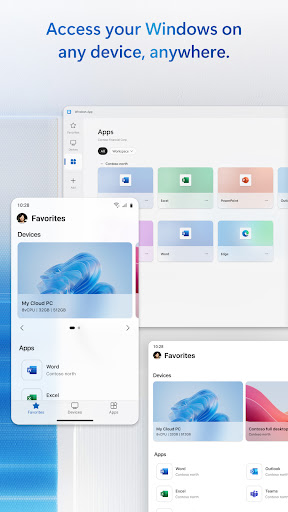
Windows App securely connects you to all remote Windows experiences, including Azure Virtual Desktop, Windows 365, Microsoft Dev Box, Remote Desktop Services, and remote PCs.
You can use Windows App on all supported Android devices running Android 11 and above: including tablets, smartphones, VR headsets and Chromebooks that support apps from the Play Store. Learn more about features and upcoming releases at aka.ms/WindowsApp
You can use Windows App on all supported Android devices running Android 11 and above: including tablets, smartphones, VR headsets and Chromebooks that support apps from the Play Store. Learn more about features and upcoming releases at aka.ms/WindowsApp
Informacje o aplikacji
Wersja
11.0.26071.13915
Zaktualizowano w dniu
Nov 02, 2026
Rozmiar
Wymaga Androida
10
ID pakietu
com.microsoft.rdc.androidx
Instalacje
12.6M+
Kategoria
Business
Uprawnienia aplikacji
-
Location
- approximate location (network-based)
- precise location (GPS and network-based)
-
Photos/Media/Files
- read the contents of your USB storage
- modify or delete the contents of your USB storage
-
Storage
- read the contents of your USB storage
- modify or delete the contents of your USB storage
-
Camera
- take pictures and videos
-
Microphone
- record audio
-
Wi-Fi connection information
- view Wi-Fi connections
-
Other
- Access download manager.
- receive data from Internet
- view network connections
- pair with Bluetooth devices
- full network access
- change your audio settings
- control Near Field Communication
- run at startup
- prevent device from sleeping


Oceny i opinie
4.3
Ogólne oceny
5
4
3
2
1
L
Lausev Marcel
Nov 16, 2026
on
A
Abe Yerufael
Nov 15, 2026
this is amazing app
G
Gareht Stor4
Nov 15, 2026
чтобы прочитать отзыв докажите что вы не робот.
L
Lucas Pedro
Nov 14, 2026
Works as a charm
K
Kalani Simon
Nov 13, 2026
It is constently dropping my connection and has an issue reconnecting when I start up if I don't exit all the way out and reopen the windows app
M
Michael Davey
Nov 13, 2026
does not always work, works with some PCs and dosent work with others evwn tho all settings are set coreectly.


