

PlayerPro Music Player (Pro)
Music & Audio



O tej aplikacji
PlayerPro features a beautiful, fast and intuitive interface, alongside powerful audio configuration options. In addition, there is a choice of several free plugins to complement it: Skins, DSP Pack...
Note: PlayerPro Music Player (Pro) is a standalone app. You should uninstall the PlayerPro Music Player (Free) version if you have previously installed it.
KEY FEATURES:
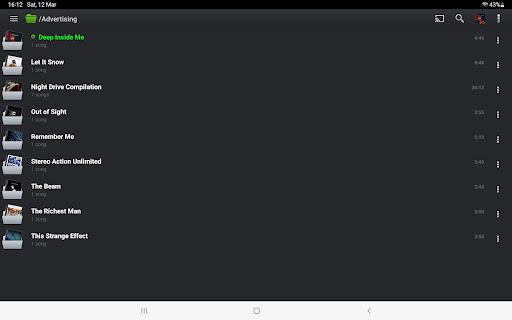
• Browse and play your music in many different ways: by albums, artists, album artists, composers, genres, playlists, folders, or songs.
• Browse and play your videos.
• Browse and listen to radios from all around the world.
• Listen to your music while driving thanks to Android Auto.
• Stream your music, videos and radios to your TV or any Chromecast Audio compatible device.
• Liven up your music library with album artwork, artist/composer pictures, and genre illustrations that you can select from a variety of sources: ID3 tags (embedded artwork), SD card folders, Gallery app, and the Internet.
• Change the user interface of the Player by installing one of the many available Skins.
• Customize the layout, choosing between Grid or List views.
• View and edit the lyrics embedded in the ID3 tags of your music files.
• ID3 Tags editing, in single or batch mode: supports all known audio formats (Mp3, Mp4, Ogg Vorbis, Flac, Wav, Aif, Dsf, Wma, Opus, and Speex) and up to 15 different tag fields, including advanced ones like ratings, groupings, and BPMs.
• Default mixable audio effects: 5 band graphic equalizer with 15 default presets, stereo widening effect, reverb effects (large/medium hall, small/medium/large room), bass boost effect, and volume control.
• Free additional professional DSP plugin: High-Res audio (up to 32-bit, 384kHz), 10 band graphic equalizer with 20 default presets, Pre-Amp control, bass boost control, stereo widening control, left-right volume control, optional mono output. Gapless playback. Auto/Manual crossfade. Replay gain. Audio Limiter. Go to Settings > Audio and select "Download DSP pack" option to install the free plugin.
• Music metadata, statistics and smart playlists: Recently added, Top rated, Most/Recently/Least played. Build additional smart playlists using the smart playlist editor and the many different criteria it offers: title, album artist, composer, grouping, genre, comment, duration, year, date added/modified, BPM, rating, play count, skip count, last played, and file path.
• Import and export music history and ratings from your favorite desktop music player.
• Music folder selection: restrict your music library to a specific folder.
• Choice of 2 lock screen widgets with many customization options: unlock slider, sound toggle, skip tracks using volume buttons, swipe gestures, background selection, controls selection, time display, skin selection ...
• Choice of 5 different home screen widgets (4x1, 2x2, 3x3, 4x4, 4x2). All widgets are customizable: 6 different skins available, option to display artist picture instead of album artwork, option to display ratings etc.
• Google Drive backup/restore: automatically backup your playlists, music stats and settings to Google Drive.
• Supports most popular Scrobblers.
• Sleep timer with fade out.
• Share text notifications, album/artist artwork on your favorite Social Networks.
• Headset support. Customize long press and double/triple press actions.
• Library wide search. Voice search and Google Assistant support.
• Swipe gestures: swipe album art to skip songs, double tap or long press to pause/resume playback.
• Shake it feature: give your phone a shake to play next/previous song (e.g.: shake top to bottom or bottom to top to play next/previous song).
... and many other features to discover!
Informacje o aplikacji
Co nowego
- Removed redundant permission request when bookmarking videos
- Improved accuracy and precision for album artwork discovery
- Resolved connectivity issues when downloading artwork over the internet
- Other performance and stability fixes
- Updated translations
Uprawnienia aplikacji
-
Photos/Media/Files
- read the contents of your USB storage
- modify or delete the contents of your USB storage
-
Storage
- read the contents of your USB storage
- modify or delete the contents of your USB storage
-
Wi-Fi connection information
- view Wi-Fi connections
-
Other
- view network connections
- pair with Bluetooth devices
- disable your screen lock
- full network access
- change your audio settings
- run at startup
- draw over other apps
- control vibration
- prevent device from sleeping
- modify system settings


Oceny i opinie
greatest purchase for my android devices since my note 4 entry into non effin apple devices. got note 8 and pix 7 pro all worked until the audio restrictions or "safety for loud BS Background blah blah, on android 17 latest update breaks Bluetooth audio and will no longer please my ears as silence makes angry. please fix or make it easy work around 🙏
the best
Overall I like it, but I can't figure out how get the LP / Song cover to automaticallydownload. On almost every song I have to manually tell the program to "manage artwork > Auto Pick. The art is in the file because it selects it immediately. BTW I purchased the Pro version.
still learning but I'm liking the app
Simply amazing music player ever
too many bugs


