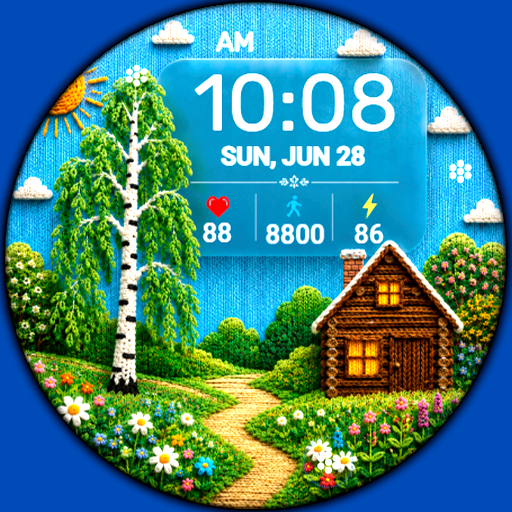
Dgt BigMod Informer Watch face
Personalization


O tej aplikacji
Stylish, modern tactical digital watchface for Wear OS
Basic moments:
- 12/24 hour digital time (depending on smartphone settings)
- A high resolution;
- Ability to change color
- Ability to change styles (backgrounds)
- Custom complications
- Display the number of the day of the year
- Display the week number of the year
- Moon phases
- AOD mode
Compatible with Wear OS devices running API level 30 and above, including Samsung Galaxy Watch 4, 5, 6, 7, 8 and Pixel Watch.
**Installation**
1. Install the watch face app on your phone.
2. Make sure your Wear OS watch is connected to your phone and uses the same Google account.
3. Select your watch as the installation device and complete the installation.
4. After installation, select the watch face from your watch face gallery.
If installation is delayed, check the internet connection on both devices, wait a minute or two, or restart your watch and try again.
**Customization**
• Touch and hold the watch face, then tap **Customize** to access the available settings.
• For the best experience, we recommend configuring the watch face directly on your watch. Video guide:
https://youtu.be/YPcpvbxABiA
**Support**
If you have any questions or installation issues, please contact:
[[email protected]](mailto:[email protected])
**More watch faces by WIN**
Explore other watch faces:
https://play.google.com/store/apps/dev?id=6789054753742990227
Informacje o aplikacji
Co nowego
- Improved display of custom complications
Uprawnienia aplikacji
-
Other
- full network access

Oceny i opinie
the best watch I have from the best developer
didn't work, I was unable to install it on my watch, I follow the instructions and stil nada
Love the colours and the amount of customization! One of my favourite designers!
A great app with a lot a features but I have a problem with the distance traveled displayed only in miles. I haven't been able to find anywhere the option to display it in kilometers
Great but has issues. Previously it was okay but maybe from the last update, the watch's time/ digits are poorly aligned. I mean it's 9:15 at my watch, but 1/3 of the number 5 is hidden by the seconds counter. It's a developer issue. I'll change the review star if they fix it.
I didn't know how to change the colour the developers response was quick and helpful. many thanks Alan