

Autumn Frame & Halloween
Personalization



Sobre este app
Powered by Watch Face Format
⚙️ Phone App Features
The phone app is simply a tool to facilitate installation and locating the watch face on your Wear OS watch. Only the mobile app contains ads.
⚙️ Watch Face Features
• 12/24h Digital Time
• Date
• Battery
• Steps Count
• 1 customizable Complication
• 1 customizable Shortcut
• 7 Color Variations
• Always ON Display supported with changeable colors and changeable modes
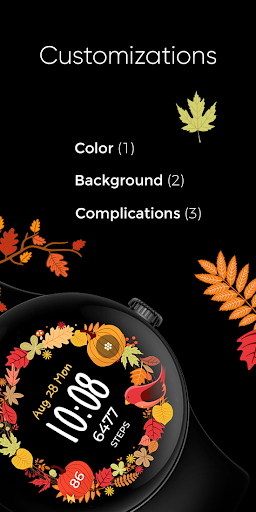
🎨 Customization
1 - Touch and hold display
2 - Tap on Customize option
🎨 Complications
Touch and hold display to open customization mode. You can customize the field with any data you want.
🔋 Battery
For better battery performance of the watch, we recommend disabling the "Always On Display" mode.
✅ Compatible devices include API level 33+ Google Pixel, Galaxy Watch 4, 5, 6, and other Wear OS models.
Installation and troubleshooting
Follow this link: https://www.recreative-watch.com/help/#installation-methodes
Watch faces don't automatically apply on your watch screen after the installation. That's why you must set it on your watch's screen.
💌 Write to [email protected] for assistance.
Info do App
Permissões do aplicativo
-
Other
- receive data from Internet
- view network connections
- full network access
- prevent device from sleeping

Avaliações e resenhas
really like app design but the right pumpkin complication doesn't show anything! if you put for heart rate it just shows the heart! not many options to chose to put on it!
won't install on my watch
really pretty watch face. my only two issues was that it was a bit complicated to get it to install. and while it will allow one customizable complication it's only an app complication I wanted to have heart rate visible as well so I probably won't keep this one for long. when I'm walking or doing an activity I want to be able to glance at my watch face and be able to see heart rate immediately.
A little confused
Does not detect my watch. "No Wear OS is connected" but tapping the Wear app at the bottom opens the Wear app and it shows my watch is connected.
Will not install


