

JW083 jwstudio
Personalization


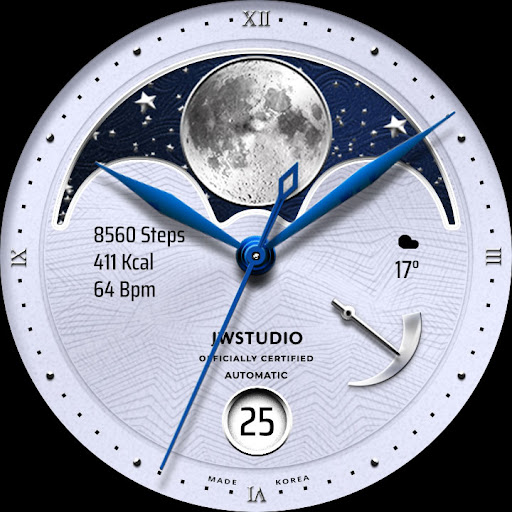


Sobre este app
+++++++++++++++++++++++++++++++++++++++++++++++
[How to install]
Before pressing the payment button, make sure your watch is selected.
Select your watch by pressing the small triangle next to the payment button.
Select the menu at the top right of the Play Store app (three dots) > Share > Chrome browser > Install on other devices > Clock and proceed.
After installation, select it from the download list, register it as a favorite, and use it. You can view the download list by clicking 'Add Watch Screen' on the far right of the favorites list that appears when you press the watch screen.
+++++++++++++++++++++++++++++++++++++++++++++++
[function]
- 3 preset app shortcut
- 1 customizable shortcut keys
- 1 customizable fields/information display
- Changeable background color, hands, index
+++++++++++++++++++++++++++++++++++++++++++++++
[Custom]
1 - Touch and hold the display.
2 - Tap on Custom Options
For inquiries, please contact the email below.
[email protected]
Info do App
O que há de novo
- Support Android Target SDK 33 (Wear OS 5)
- Support Companion app Target API level 35
Avaliações e resenhas
perfect moonphase watch
Really great watch face, specially the AOD
It was the perfect watchface and I loved it. But for some reason, the next event complication doesn't show the time of the next event anymore. That was shown before and it works great and very useful. Can this be fixed please? Thanks.
awesome
Best looking face out there. Subtle shadows and background options do the trick. Very pleased. Most "realistic" faces look like pictures, this looks like a real watch.
thanks for this watch face,nice 1


