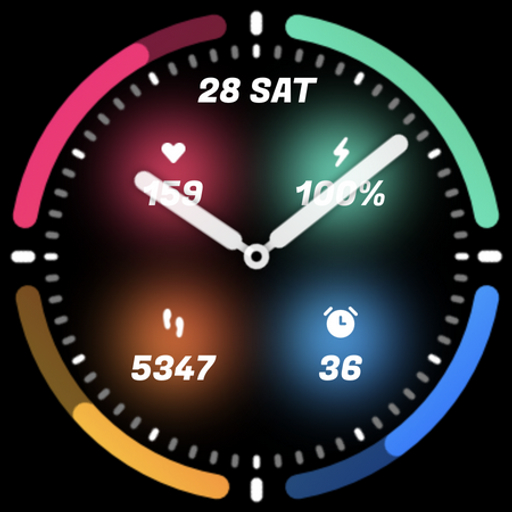
UsA Circle Bar - USA121
Personalization




Об этом приложении
This watch face requires Wear OS API 33+ (Wear OS 4 or newer). Compatible with Galaxy Watch 4/5/6/7/8 Series and newer, Pixel Watch series and other watch face with Wear OS 4 or newer.
Make sure you are purchasing using the same Google account registered on your watch. The installation should begin automatically on the watch after a few moments.
After the installation is completed on your watch, do these steps to open the watch face on your watch :
1. Open the watch face list on your watch (tap and hold the current watch face)
2. Scroll to the right and tap "add watch face"
3. Scroll down and find new installed watch face in the "downloaded" section
Features:
- 12/24 hour mode
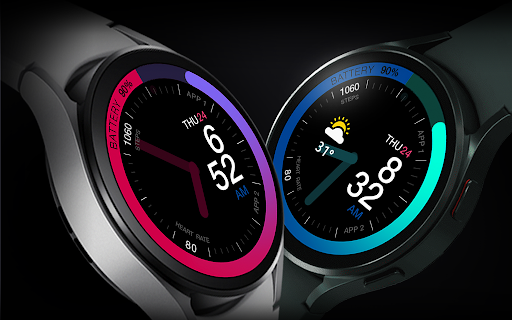
- Battery Information in circle bar
- Heart Rate
- Customize menu for easy styling
- Customize circle bar color and deco style
- Customize hand color
- Customisable complication with icon (weather, sunset/sunrise, etc)
- Custom app shortcuts
- Special Designed AOD, digit color synced with normal mode
To show the heart rate, stay still and tap the heart rate area. It will blink and measure your heart rate. The heart rate will be shown after the successful reading. The default usually showing 0 before the reading is complete. There may a slight difference with the built in health app heart rate.
Tap and hold the watch face and go to the "customize" menu (or settings icon under the watch face) to change the styles and also manage the custom shortcut complication.
Default complication shown is sunrise/sunset, it may not compatible with some devices. Just go to complication settings and change the information with weather or other supported complication.
To change between 12 or 24-hour mode, go to your phone date and time settings and there is an option to use 24-hour mode or 12-hour mode. The watch will sync with your new settings after a few moments.
Special designed Always On Display ambient mode. Turn on the Always On Display mode on your watch settings to show a low power display on idle. Please be aware, this feature will use more batteries.
Join our Telegram group for live support and discussion
https://t.me/usadesignwatchface
Информация о приложении
Что нового
Рейтинги и отзывы
I really love the design of the USA121 watch face, but unfortunately, it's not working correctly on my Galaxy Watch 5 Pro. The time on the Always On Display (AOD) freezes and doesn't update until I wake up the screen. This makes the watch face unreliable. Please update the watch face to the new Watch Face Format to fix this sync issue.
Love it.
Great
Nice
Charged me 3 times!! This is bullcrap i didnt authorize 3 payments yes its ok app and i am ok with the purchase but not 2 more times after i installed it and I can't get a refund or anyone to speak to regarding it!
All of this designer's watches are exceptional! I've bought many of them.