

Independent: Flower Watch Face
Personalization
0.0
160 Nedladdningar
"Flower watch face with a touch of nature and beauty to your wrist"
Installera på Google Play
Paid App


Om denna app
Introducing our first feminine watch face design! 💐
This elegant and charming watch face design is perfect for the stylish and independent woman. The beautiful flower design adds a touch of nature and beauty to your wrist, while the delicate colors give it a soft and romantic feel. The watch face is easy to read with its clear and simple display, making it functional as well as fashionable.
Features:
📅 Date
☀️ Ambient Mode
📱 Customizable Complication
🌈 Customizable Color
To modify the styles and manage the custom shortcut complication, tap and hold the watch face and select the "customize" menu (or settings icon under the watch face).
You can use a 24-hour or 12-hour style by going to your phone's date and time settings, where it is an option. After a short wait, the watch will sync with your changed settings.
Enable the "Always On Display" mode in your watch's settings to show a low-power display while idle. This feature will require more batteries, so please be aware of it.
Support all Wear OS 3+ such as:
- Google Pixel Watch
- Samsung Galaxy Watch 4
- Samsung Galaxy Watch 4 Classic
- Samsung Galaxy Watch 5
- Samsung Galaxy Watch 5 Pro
- Samsung Galaxy Watch 6
- Samsung Galaxy Watch 6 Classic
- Fossil Gen 6
- Mobvoi TicWatch Pro 3 Cellular/LTE /
- Montblanc Summit 3
- Tag Heuer Connected Calibre E4
Installing the Watch Face:
1. Download an app to your phone.
2. Launch the Play Store app on your watch
3. Click on Apps on Your Phone
3. Download Watch Face from There.
Background from Vecteezy.com
This elegant and charming watch face design is perfect for the stylish and independent woman. The beautiful flower design adds a touch of nature and beauty to your wrist, while the delicate colors give it a soft and romantic feel. The watch face is easy to read with its clear and simple display, making it functional as well as fashionable.
Features:
📅 Date
☀️ Ambient Mode
📱 Customizable Complication
🌈 Customizable Color
To modify the styles and manage the custom shortcut complication, tap and hold the watch face and select the "customize" menu (or settings icon under the watch face).
You can use a 24-hour or 12-hour style by going to your phone's date and time settings, where it is an option. After a short wait, the watch will sync with your changed settings.
Enable the "Always On Display" mode in your watch's settings to show a low-power display while idle. This feature will require more batteries, so please be aware of it.
Support all Wear OS 3+ such as:
- Google Pixel Watch
- Samsung Galaxy Watch 4
- Samsung Galaxy Watch 4 Classic
- Samsung Galaxy Watch 5
- Samsung Galaxy Watch 5 Pro
- Samsung Galaxy Watch 6
- Samsung Galaxy Watch 6 Classic
- Fossil Gen 6
- Mobvoi TicWatch Pro 3 Cellular/LTE /
- Montblanc Summit 3
- Tag Heuer Connected Calibre E4
Installing the Watch Face:
1. Download an app to your phone.
2. Launch the Play Store app on your watch
3. Click on Apps on Your Phone
3. Download Watch Face from There.
Background from Vecteezy.com
Appinfo
Version
Uppdaterad den
N/A
Storlek
Kräver Android
Paket-ID
com.executivedesign.independent
Installationer
160
Kategori
Personalization
Appbehörigheter
-
Other
- reorder running apps
- control vibration
- prevent device from sleeping

Betyg och recensioner
0.0
Totala betyg
5
4
3
2
1
S
Steve May
Oct 16, 2023
Great, elegant design. Plenty of custom choices too. Great job!
D
Daniel Chan
Oct 14, 2023
good
Liknande appar

EXD034: Summer Bloom Face
Executive Design Watch Face
0.0

BFF66-Blackboard Art Hydrangea
BFF-KING STORM
0.0

artifun.forest.watchface
artifun
0.0
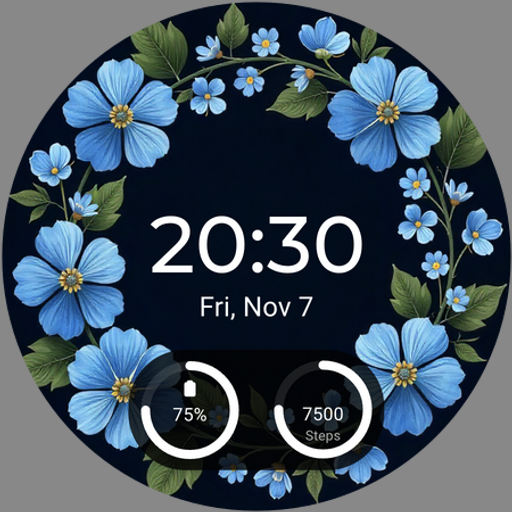
Flowers Watch face
Malith Wimalarathna
0.0

EXD167: Colorful Flower Face
Executive Design Watch Face
0.0

Flora01
StarWatchfaces
4.6
Mer från utvecklaren

EXD209: Winter Watch Face
Executive Design Watch Face
0.0

EXD208: Sporty Hybrid Face
Executive Design Watch Face
0.0

EXD207: Digital Watch Face
Executive Design Watch Face
0.0

EXD206: Chrono Pop Watch Face
Executive Design Watch Face
0.0

EXD205: Classic Watch Face
Executive Design Watch Face
0.0

EXD204: Personal Watch Face
Executive Design Watch Face
0.0