

Zoho Scanner: Doc to PDF Maker
Productivity


Om denna app
Use it when a signed copy has to go back today, when you need the words out of a printed page, or when the same kind of document always goes to the same folder.
SCAN DOCUMENTS TO PDF
Point your camera at a page. The scanner app finds the edges, straightens the page and removes shadows automatically. Crop, rotate, reorder pages and apply filters that turn a dull photo into a crisp black-and-white scan. Batch scan a stack of pages into one multi-page PDF, then export as PDF or PNG in one tap.
PDF MAKER & PDF CONVERTER
Scan to PDF, image to PDF, JPG to PDF and photo to PDF. The PDF converter is built in, so there's no second app and nothing to upload to a website.
OCR: IMAGE TO TEXT
The text scanner extracts words from any scan: printed pages, books and handwriting. Edit and copy the text, share it as a .txt file, or search your scanned documents by the words printed on them, so a file you saved months ago is easy to find.
E-SIGN DOCUMENTS
Add your signature from Zoho Sign, plus initials, name, date and email, and send the signed PDF straight back. A form that arrives on paper never needs printing.
TRANSLATE SCANNED TEXT
Translate extracted text into languages including French, Spanish, German, Portuguese, Italian, Russian, Chinese and Japanese, then share it as a file or paste it into a message.
SHARE, AUTO-UPLOAD & WORKFLOWS
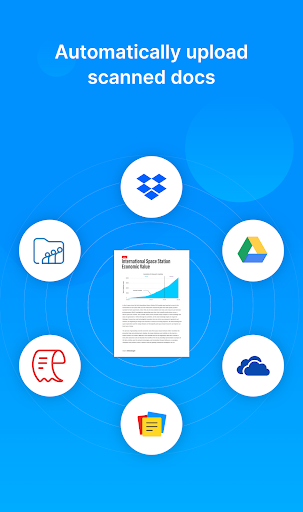
Send scans over WhatsApp, email or any messaging app. Auto-upload to Google Drive, Dropbox, OneDrive, Zoho WorkDrive, Zoho Expense or Zoho Notebook. Build a workflow once and the same document type always lands in the same place: one tap instead of five.
ORGANIZE EVERYTHING
Folders, tags and reminders keep your paperwork in order. Zia, Zoho's AI, reads what's inside each scan and suggests tags, so documents file themselves.
WHAT PEOPLE SCAN
• Receipts, bills and invoices for expenses
• ID cards, passports and driver's licenses
• Contracts, leases and forms to sign
• Tax documents, bank letters and insurance papers
• Class notes, assignments, certificates and mark sheets
WHO IT'S FOR
Students scanning notes and assignments, freelancers and small business owners scanning invoices, receipts and contracts, and teams filing expenses straight into Zoho Expense and Zoho WorkDrive.
WHY ZOHO SCANNER
• Free to download: scan and export PDFs without paying
• No ads, anywhere in the app
• Zoho does not sell your data
• Lock documents behind your fingerprint
• Works offline: scan now, sync later
• Built by Zoho, whose apps are used by more than 100 million people
FREE, BASIC AND PREMIUM
Zoho Scanner is free to download and use for scanning and exporting PDFs.
Basic (one-time purchase) adds app themes, document reminders, fingerprint lock, search by content, extra filters, watermark-free sharing and 2 workflows.
Premium (subscription) adds OCR text export, translation, e-signing, Google Drive backup, unlimited workflows, auto-upload to cloud storage, Zia tag suggestions and read-aloud.
NEED HELP?
Reach us in the app at Settings > Support, or write to [email protected].
Appinfo
Appbehörigheter
-
Identity
- find accounts on the device
- add or remove accounts
-
Contacts
- find accounts on the device
-
Phone
- read phone status and identity
-
Photos/Media/Files
- read the contents of your USB storage
- modify or delete the contents of your USB storage
-
Storage
- read the contents of your USB storage
- modify or delete the contents of your USB storage
-
Camera
- take pictures and videos
-
Microphone
- record audio
-
Wi-Fi connection information
- view Wi-Fi connections
-
Device ID & call information
- read phone status and identity
-
Other
- receive data from Internet
- view network connections
- create accounts and set passwords
- full network access
- run at startup
- use accounts on the device
- prevent device from sleeping
- install shortcuts
- uninstall shortcuts
- read Google service configuration


Betyg och recensioner
good work 💯 secure privacy
it doesn't sync
You listened to our feedback! Thank you! Now this app scans in HD. Changing rating to 5 stars!
Works well even for very large files. Even when scanning on white surface it detected the white paper.
Zoho Scanner is not up to the global standards. Please use Adobe Scanner, test it out from fearure and functional perspectives and then develop your product. lack of features,UI and UX is terrible.
made in India
Liknande appar

Princh

Mobile Scanner App - Scan PDF

Genius Scan - PDF Scanner

Learn German Daily with Readle

UE | BOOM by Ultimate Ears

Fit2Flaunt Pole Dancing App
Mer från utvecklaren

Zoho Mail - Email and Calendar

Authenticator App - OneAuth

Zoho Invoice - Invoice Maker

Notebook: Notes, Journal, AI

Zoho Meeting - Meet Virtually
