Watch Face Minimalism 3
Personalization
0.0
384 ดาวน์โหลด
"Minimalist Wear OS digital face: weather, 4 complications & 2 AOD modes"
ติดตั้งบน Google Play
แอปเสียเงิน


เกี่ยวกับแอปนี้
Minimalism 3 Watchface for Wear OS
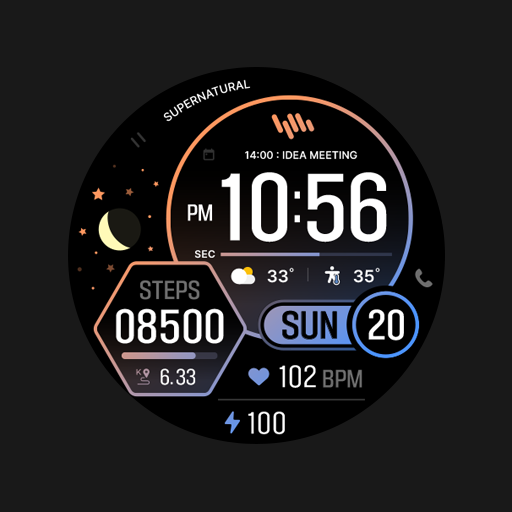
Upgrade your smartwatch with the Minimalism 3 Watchface for Wear OS. This sleek, modern digital design offers a clean layout focused on readability, providing a perfect balance of minimalist aesthetics and everyday functionality.
Key Features:
• Clean Digital Layout: Easily read the time with support for 12/24-hour modes and a dynamic AM/PM indicator (available only in 12H mode).
• Detailed Weather: View a stylish, outline-style weather icon and current temperature seamlessly integrated into the background.
• 4 Customizable Complications: Personalize your display with four dedicated slots for the information you value most.
• Color Themes: Match your style effortlessly by choosing from a variety of vibrant accent color themes.
• 2 Always On Display Modes: Manage your battery life with two distinct AOD options: an informative dimmed mode that retains your data layout, and a minimal mode displaying only the digital time.
Installation:
1. Ensure your watch is connected via Bluetooth.
2. Download from the Google Play Store.
3. Long-press your watch screen, scroll to the end, and select the watch face to apply.
Compatibility:
Designed exclusively for Wear OS 5+ devices, including:
• Samsung Galaxy Watch 9 & Ultra
• Google Pixel Watch 5
• And other newer devices running Wear OS 5 or higher.
Upgrade your smartwatch with the Minimalism 3 Watchface for Wear OS. This sleek, modern digital design offers a clean layout focused on readability, providing a perfect balance of minimalist aesthetics and everyday functionality.
Key Features:
• Clean Digital Layout: Easily read the time with support for 12/24-hour modes and a dynamic AM/PM indicator (available only in 12H mode).
• Detailed Weather: View a stylish, outline-style weather icon and current temperature seamlessly integrated into the background.
• 4 Customizable Complications: Personalize your display with four dedicated slots for the information you value most.
• Color Themes: Match your style effortlessly by choosing from a variety of vibrant accent color themes.
• 2 Always On Display Modes: Manage your battery life with two distinct AOD options: an informative dimmed mode that retains your data layout, and a minimal mode displaying only the digital time.
Installation:
1. Ensure your watch is connected via Bluetooth.
2. Download from the Google Play Store.
3. Long-press your watch screen, scroll to the end, and select the watch face to apply.
Compatibility:
Designed exclusively for Wear OS 5+ devices, including:
• Samsung Galaxy Watch 9 & Ultra
• Google Pixel Watch 5
• And other newer devices running Wear OS 5 or higher.
ข้อมูลแอป
เวอร์ชัน
อัปเดตเมื่อ
Aug 13, 2026
ขนาด
ต้องการ Android
รหัสแพ็คเกจ
com.watchfacestudio.Minimalism3
การติดตั้ง
384
หมวดหมู่
Personalization
มีอะไรใหม่
Updating targetSDK