

Zoho Scanner – Document to PDF
Productivity


Bu uygulama hakkında
Start scanning straight away. No ads. No selling your data.
★ SCAN ANY DOCUMENT TO PDF
Hold your camera over a page. The scanner app auto-detects the edges, straightens the image and clears shadows. Crop, rotate and apply filters, then export as a PDF or PNG with one tap. Batch scan a stack of pages into a single PDF file.
★ OCR — IMAGE TO TEXT
Extract text from any scan with built-in OCR. Copy it, share it as a .txt file, or search inside your scanned documents using words printed on the page. Works on printed documents, books and handwriting.
★ E-SIGN DOCUMENTS
Sign PDF documents on your phone. Drop in your signature from Zoho Sign, add initials, name, date and email, then send the signed document straight back.
★ TRANSLATE SCANNED TEXT
Translate extracted text into 15 languages, including French, Spanish, German, Russian, Chinese, Japanese, Portuguese and Italian.
★ ORGANIZE EVERYTHING
Create folders, add tags and set reminders. Auto Tags reads the content inside each scan and suggests tags for you, so documents file themselves.
★ SHARE & AUTO-UPLOAD
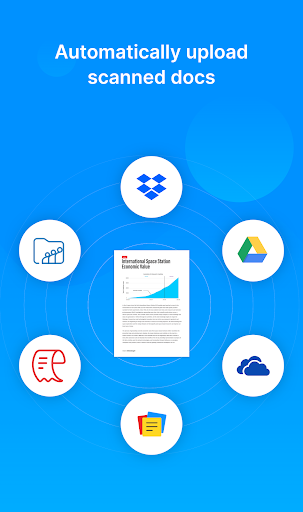
Send scanned documents over WhatsApp, email or any messaging app. Auto-upload to Google Drive, Dropbox, OneDrive, Zoho WorkDrive, Zoho Expense or Zoho Notebook. Build a workflow once and the same document type always lands in the same place.
★ ANNOTATE & CLEAN UP
Crop out what you don't need, resize, reorder pages, and mark up scans with three marker tools. Filters turn a dull photo into a crisp black-and-white scan.
★ EVERY CONVERSION YOU NEED
Scan to PDF. Image to PDF. JPG to PDF. Photo to PDF. Multi-page PDF from a stack of pages. Image to text. Scan to Word-ready text. Export as PNG when you need an image instead. The PDF maker is built in, so there's no second app and no upload to a website.
WHO USES ZOHO SCANNER
• Students scanning lecture notes, assignments and question papers
• Freelancers and small business owners scanning invoices, receipts and contracts
• Teams filing expenses straight into Zoho Expense and Zoho WorkDrive
• Anyone who needs a paper document as a PDF in the next thirty seconds
MOVING FROM ANOTHER SCANNER APP
If you're switching from another PDF scanner or camera scanner app, Zoho Scanner keeps the parts you actually use — auto edge detection, batch scanning, OCR, cloud backup — without the ads and the watermarks on your shared documents.
WHAT PEOPLE SCAN
Receipts and expense reports, tax documents, contracts to sign, business cards, insurance and medical forms, warranties, homework and study notes — and anything you still have to send as a PDF.
WHY ZOHO SCANNER
• Free to start — scan and export PDF documents without paying
• No ads anywhere in the app
• Your documents stay yours. Zoho does not sell user data.
• Lock documents behind your fingerprint
• Works offline — scan now, sync later
• Built by Zoho, trusted by 100+ million users worldwide
PLANS
Zoho Scanner is free to download and use. Basic is a one-time purchase that adds app themes, document reminders, fingerprint lock, content search, extra filters, watermark-free sharing and 2 workflows. Premium is a subscription that adds OCR text export, translation, e-signing, Google Drive backup, unlimited workflows, auto-upload to cloud storage, Zia tag suggestions and read-aloud.
GET IN TOUCH
We'd love your feedback. Reach us in the app at Settings > Support, or write to [email protected].
Uygulama Bilgisi
Uygulama İzinleri
-
Identity
- find accounts on the device
- add or remove accounts
-
Contacts
- find accounts on the device
-
Photos/Media/Files
- read the contents of your USB storage
- modify or delete the contents of your USB storage
-
Storage
- read the contents of your USB storage
- modify or delete the contents of your USB storage
-
Camera
- take pictures and videos
-
Microphone
- record audio
-
Wi-Fi connection information
- view Wi-Fi connections
-
Other
- receive data from Internet
- view network connections
- create accounts and set passwords
- full network access
- run at startup
- use accounts on the device
- prevent device from sleeping
- install shortcuts
- uninstall shortcuts
- read Google service configuration


Puanlar ve Yorumlar
good
Once scanned and edited, not able to find simple button called Save/Share. Only 2 options. Retake or Continue edit.
Finally a Desi scanning app has arrived. You can convert documents to pdf, image etc and store it to our device or even share it to other platforms. Make the scanning and conversion process little bit faster.
Nothing works. One of the worst scanner I have ever seen, you can use filter to make documents look clean you can even crop the documents. it shows you that you are able to crop but at the end it will return to the original size and it does the same with filter it shows it is working but at the end no filter was applied. Totally useless and corrupt app.
keep up the good work!
super apo by zoho..... Thik you zoho ❤️..... Ak aap pdf reader app bana da please


