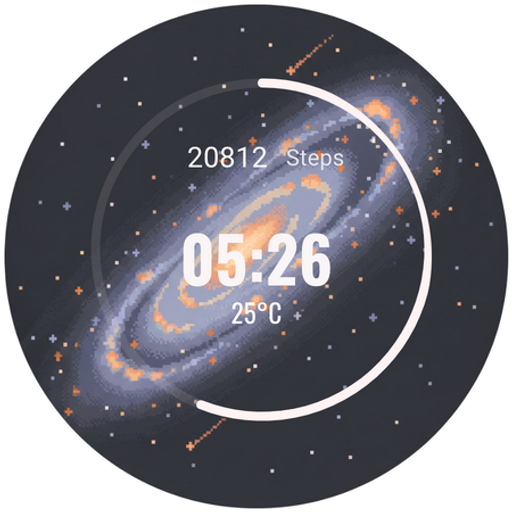
Deep Horizon: Space Watch Face
Personalization
0.0
54 Завантаження
"Animated space watch face for Wear OS 6+: a pixel black hole behind your clock"
Встановити в Google Play
Платное приложение


Про цей додаток
Time, bent around the edge of light.
Deep Horizon is an animated space watch face for Wear OS 6 and later. A pixel-art black hole turns slowly on your wrist, its accretion disk glowing warm against true OLED black, with a retro pixel clock in front of it, or no clock at all.
🌌 A BLACK HOLE ON YOUR WRIST
• The accretion disk orbits slowly and continuously while the screen is on
• The event horizon is pure black, so the glow seems to hang in the dark
• Starfield adds distant stars; Minimal keeps the darkness clean
• A dim, still Always-On Display keeps the time between glances
🎨 MAKE IT YOURS
• Six colorways: Horizon, Cygnus, Nebula, Aurora, Pulsar and Redshift
• Redshift slowly shifts its hue across the day
• Two themes: Minimal and Starfield
• Three clock choices: Digital, Analogue or No clock
• Three pixel digit fonts: Gravity, Stardust and Supernova
• The Digital clock follows your watch's 12- or 24-hour setting
• Optional Battery arc around the rim
• Ready-made presets for switching looks quickly
• Tap shortcuts for alarm, battery status and settings
⌚ COMPATIBILITY AND SETUP
• Requires a watch running Wear OS 6 or later. Google Play shows eligible devices.
• Once Deep Horizon is on your watch, hold the current face, choose Add watch face, then select Deep Horizon. Hold it again and choose Customize or Edit to change its look. Menu names vary by watch.
• The optional Deep Horizon Setup app for Android phones (Android 7.0 or newer) explains compatibility, installation, choosing the face and updates, with a link to Pixelpond support.
• Deep Horizon works independently on your watch. No Pixelpond account is needed.
• The watch face runs entirely on your watch, with no ads, no in-app purchases and no tracking. The optional Deep Horizon Setup phone app checks your Google Play purchase, as described in the privacy policy.
Deep Horizon is one living black hole, made by Pixelpond for your wrist.
Інформація про додаток
Версія
Оновлено
Oct 25, 2026
Розмір
Вимагає Android
ID пакету
com.pixelpond.watchface.deephorizon
Установок
54
Категорія
Personalization
Що нового
Setup now supports Korean and Spanish. Installation steps, watch requirements, update checks and help are translated. The watch face is unchanged.
Дозволи програми
-
Other
- view network connections
- full network access
- Google Play license check

Оцінки та відгуки
0.0
Всього оцінок
5
4
3
2
1
B
Brady Mitchell
Sep 04, 2026
Release mooooore pls
K
Kenan Crinis
Jun 19, 2026
wow! looks amazing!