

AWD Cloud Candy watchface
Personalization
0.0
237 Завантаження
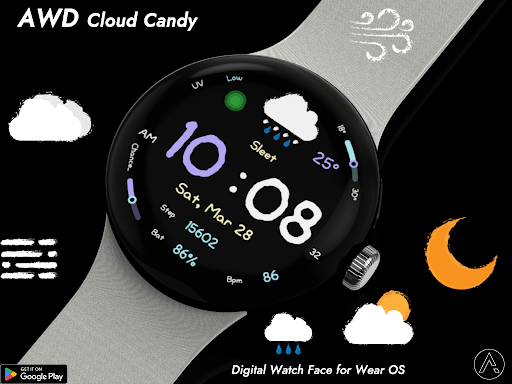
"Clear digital watch face with intuitive weather icons."
Встановити в Google Play
Платное приложение




Про цей додаток
Readability: Large digital clock with a unique, friendly font.
Weather at a glance: Easy-to-understand icons for current conditions.
Daily Stats: Tracks your steps, heart rate, and battery level.
Simplicity: A minimalist layout that focuses on essential information.
Features
• Weather condition icon
• Temp , Low & High temperature progress bar
• UV indicator
• Step count
• Battery %
• Heart rate
• 12/24H
• Change of precipitation progress bar
• Day / Date
Customizing
Customization
• 16 Color style change
• Blingking ON/OFF
• 3 App shortcut
- Support wear OS
- Square screen watch mode is not supported.
***Installation Guide***
The mobile app guides you through the watch face installation process.
You can delete the mobile app once the watch face installation is complete.
1. Your watch and phone must be connected via Bluetooth.
2. Tap the "Install" button in the mobile guide app.
3. Follow the instructions to install the watch face. It will take only a few minutes.
You can also search for and install watch faces directly from the Google app on your watch.
You can also search for and install watch faces from a mobile web browser.
Send feedback : [email protected]
Інформація про додаток
Версія
Оновлено
N/A
Розмір
Вимагає Android
ID пакету
com.watchfacestudio.awd_cloud_candy
Установок
237
Категорія
Personalization
Дозволи програми
-
Other
- Google Play license check


