
ZKin Watch Red Blue Sports
Personalization
0.0
369 Lượt tải
"The Watch supports running on Wear OS"
Cài đặt trên Google Play
Ứng dụng trả phí




Về ứng dụng này
More coupons:https://www.facesapps.com/brand/327
More Watchs:https://play.google.com/store/apps/dev?id=9082617204511160070
The Watch supports running on Wear OS
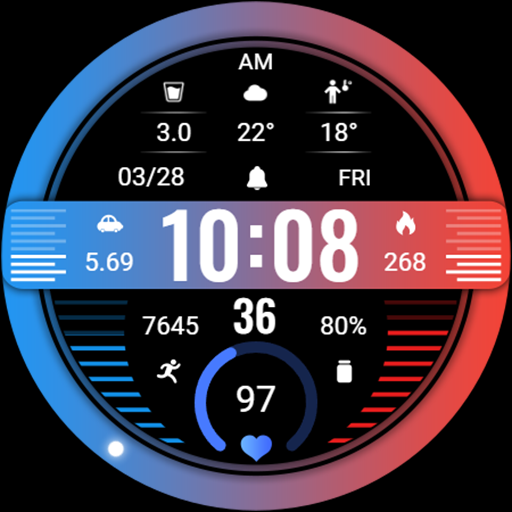
1. Top: Morning and Afternoon, Custom Data, Date, Custom APP, Week
2. Central region: 24-hour progress, distance, time, calories
3. Bottom: Steps, Step Target Percentage Progress, Seconds, Battery and Percentage Progress, Heart Rate, Heart Rate Percentage Progress
Customization: Multiple customization areas are available for selection
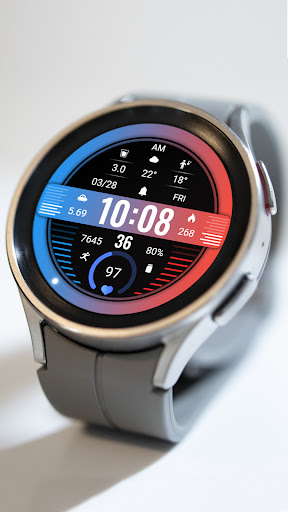
Compatible devices: Pixel Watch, Galaxy Watch 4/5/6/7 and above, and other devices
How do I install the watch face on WearOS ?
1. Install it from Google Play Wear Store on your watch
2. Install the companion app for fully customization (Android phone devices)
More Watchs:https://play.google.com/store/apps/dev?id=9082617204511160070
The Watch supports running on Wear OS
1. Top: Morning and Afternoon, Custom Data, Date, Custom APP, Week
2. Central region: 24-hour progress, distance, time, calories
3. Bottom: Steps, Step Target Percentage Progress, Seconds, Battery and Percentage Progress, Heart Rate, Heart Rate Percentage Progress
Customization: Multiple customization areas are available for selection
Compatible devices: Pixel Watch, Galaxy Watch 4/5/6/7 and above, and other devices
How do I install the watch face on WearOS ?
1. Install it from Google Play Wear Store on your watch
2. Install the companion app for fully customization (Android phone devices)
Thông tin ứng dụng
Phiên bản
Cập nhật vào
Sep 15, 2026
Kích thước
Yêu cầu Android
Lượt cài đặt
369
Danh mục
Personalization
Có gì mới
Release a new watch companion to help quickly install watch faces on mobile devices
Quyền ứng dụng
-
Other
- Google Play license check

Đánh giá và nhận xét
0.0
Tổng số đánh giá
5
4
3
2
1
T
Trina Bexfield
Apr 20, 2025
Unable to edit in the Pixel Watch app!


