CELEST5434 Analog Watch
Personalization
0.0
52 Lượt tải
"Analog watch face with a recessed inner dial, date window & 6 color variants."
Cài đặt trên Google Play
Ứng dụng trả phí


Về ứng dụng này
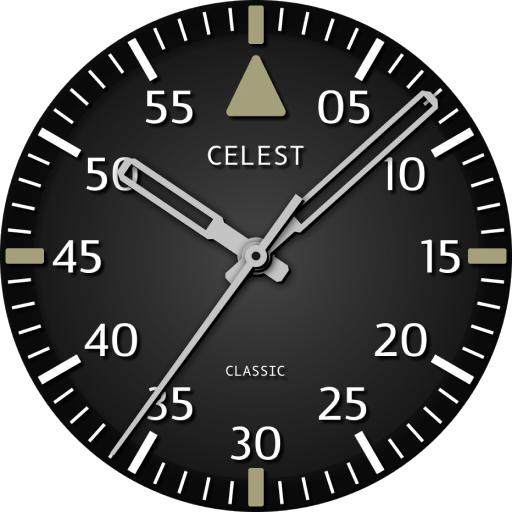
Two levels, one dial. CELEST5434 Analog Watch sets a recessed center panel inside a raised outer ring, with the hour numerals printed on the outer level and a fine minute track running just inside them, so the two readings sit on different planes rather than competing for the same space.
Slim tapered hands with pale inlays carry the time, a thin seconds hand runs behind them, and a date window is set at 3 o'clock. The step down between the two levels gives the face real depth without any pattern or texture doing the work. There is no complication slot on this analog watch face. Six color variants are available: blue, mustard, green, red, gray and black.
⌚ Features
- Recessed center panel inside a raised outer ring
- Hour numerals on the outer level with a fine minute track inside them
- Slim tapered hands with pale inlays
- Thin sweeping seconds hand
- Date window at 3 o'clock
🎨 Customization
- Six color variants: blue, mustard, green, red, gray and black
- No complication slots: the two-level layout stays as designed
A quietly dimensional analog watch face for people who want depth on the dial rather than decoration.
✅ Compatible Devices
- Google Pixel Watch/2/3/4/5
- OnePlus Watch 2/2R/3/4
- Oppo Watch X2/X3
- Samsung Galaxy Watch 4/4 Classic/5/5 Pro/6/6 Classic/7/8/8 Classic/9/FE/Ultra (2024)/(2025)/Ultra 2
- Xiaomi Watch 2/2 Pro/5
🎁 BOGO Promotion: https://celest-watches.com/bogo/
✨ Explore the complete CELEST collection in one place — including all Wear OS, HUAWEI, and Apple Watch faces, along with our apps and tools — with the CELEST Catalog app: https://play.google.com/store/apps/details?id=com.celestwatches.catalog
🔧 Installation Help
Having trouble? We've got you covered:
- Use the dropdown menu next to "Install" on your phone to select your watch model or install directly from your watch's Play Store app.
- Updating weather data (if the watch face shows weather) may take time after installation but switching to another watch face and switching back or restarting both the watch and phone usually helps.
- Check out our installation and troubleshooting guide: https://celest-watches.com/installation-troubleshooting/
- Contact us at [email protected] for quick support
📞 Support & Community
📧 Support: [email protected]
📱 Follow @celestwatches on Instagram and subscribe to our newsletter to get notified of new releases and deals: https://celest-watches.com/newsletter/
Thông tin ứng dụng
Phiên bản
Cập nhật vào
Aug 05, 2026
Kích thước
Yêu cầu Android
Lượt cài đặt
52
Danh mục
Personalization
Có gì mới
Updated to target Android 16 (API 36).
Quyền ứng dụng
-
Other
- view network connections
- full network access