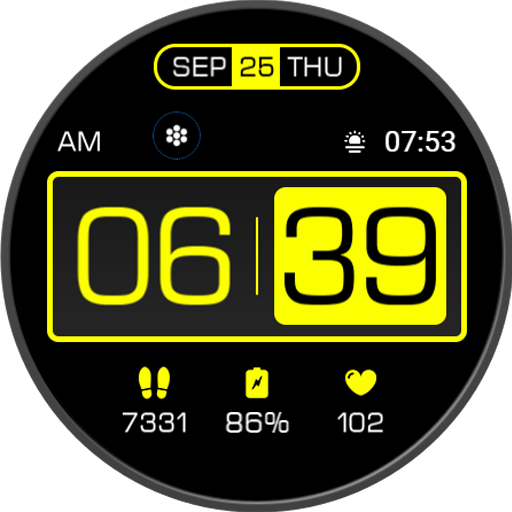
HMKWatch Digital 142
Personalization


Về ứng dụng này
* Please install additional apps by referring to 'About this app'.
=======================================================
[How to install]
Make sure your watch is selected first before you press the payment button.
Press the small black triangle next to the Payment button to select the watch.
If you don't follow the above method, you can use Chrome or Samsung browser on your PC or smartphone.
After entering the store with a web browser, click Install on another device to install it on the watch.
After the release of Watch 5, a new UI was applied to Watch 4.
The newly installed watchface can be found in the following ways.
1. Press and hold the watch screen to enter the 'Frequently Used Watch Face List'.
2. Turn it to the rightmost and press 'Add watchface'.
3. Then, enter the 'Installed Watchface List'.
4. Find and select the watch face you purchased.
=======================================================
[Additional installation app]
1. Smart phone battery app (Free app)
Please install the additional app of the link below on the watch and smartphone, and set up the complication.
If the link does not open, please search for the 'Phone Battery Complication' app and install it.
https://play.google.com/store/apps/details?id=com.weartools.phonebattcomp
2. Complications Suite - Wear OS (Free app)
https://play.google.com/store/apps/details?id=com.weartools.weekdayutccomp
3. Heart Rate Complication (Paid app)
https://play.google.com/store/apps/details?id=com.weartools.heartratecomp
4. Health Services Complications (Paid app)
https://play.google.com/store/apps/details?id=com.weartools.hscomplications
All credits goes to original app creator:
amoledwatchfaces - https://play.google.com/store/apps/dev?id=5591589606735981545
=======================================================
Get new news from my Instagram.
www.instagram.com/hmkwatch
https://hmkwatch.tistory.com/
Please send me an email if you have any errors or suggestions.
[email protected]
Thông tin ứng dụng
Đánh giá và nhận xét
스마트폰에 앱은 설치 되었는데, 워치에 설치하려 하면 결제 하라고 나옵니다. 왜 그런건가요? 로그인 정보 동일 합니다. 다른 앱들은 잘 사용 되고 있습니다. 이 앱만 이러네요.
Big and Prominent digital time display, my favorite Watchface. Thanks HMK. ❤️
Very nice with essential info. Big legible numbers for important info. I need to check power consumption and come back - however, 5 stars for now
awesome
I was using this watchface on my Samsung Galaxy Active 2 for a long time (Tizen version), but purchased a GW5 recently so I bought the WearOS version. This is missing a few features compared to the Tizen version when it comes to customisation (e.g. I can't customise the text colour on the WearOS version). Would be great if this could be updated to allow for it.