

Roku Smart Home
House & Home




Über diese App
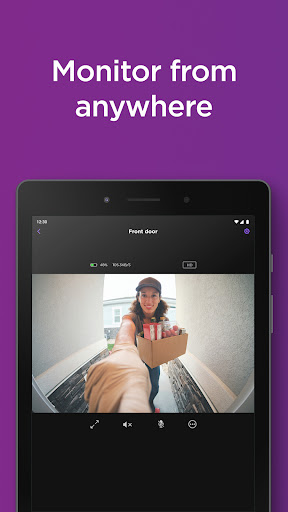
The Roku Smart Home mobile app is your one and only home camera app. With your smart home manager, you can easily set up Roku home security cameras and video doorbells and customize camera settings in a tap. Monitor your home from anywhere in the app—get instant motion or sound notifications when there’s activity, pull up live footage from your home security camera or video doorbell, and even have a chat with two-way audio. You can customize notifications and motion detection zones, so you only get the alerts you want. With a Roku Smart Home subscription, you can unlock cloud storage and view motion-triggered recordings for up to 14 days. Also included in the subscription is smart detection, which identifies people, pets, packages, and cars and allows you to filter alerts—so you only get the ones you decide are important.* Home security has never been this easy.
Roku smart lights brighten up any space in your home with customizable LED bulbs and smart light strips. Your smart home manager also allows you to quickly and easily customize light settings for your smart bulbs and smart light strips with a tap. Change colors, save custom presets, adjust brightness, and create rules that put your lights on your schedule—even when you’re not home.
With Roku smart plugs, control indoor lamps, outdoor holiday lights, or any compatible device remotely in the app. Customize your plug’s settings in your smart home manager to give your home power when you need it. Create custom schedules for your plugs to switch on or off. You’re in full control.
When it comes to installing your smart home devices, your smart home manager makes setup a breeze. All Roku Smart Home products have a surprisingly simple guided setup in the Roku Smart Home mobile app.
*Sign up for Roku Smart Home subscription by logging into your Roku account.
Privacy Policy: go.roku.com/privacypolicy
CA Privacy Notice: https://docs.roku.com/published/userprivacypolicy/en/us#userprivacypolicy-en_us-CCPA
App-Infos
Was gibt's Neues
App-Berechtigungen
-
Location
- approximate location (network-based)
- precise location (GPS and network-based)
-
Phone
- read phone status and identity
-
Photos/Media/Files
- read the contents of your USB storage
- modify or delete the contents of your USB storage
-
Storage
- read the contents of your USB storage
- modify or delete the contents of your USB storage
-
Camera
- take pictures and videos
-
Microphone
- record audio
-
Wi-Fi connection information
- view Wi-Fi connections
-
Device ID & call information
- read phone status and identity
-
Other
- receive data from Internet
- view network connections
- pair with Bluetooth devices
- access Bluetooth settings
- change network connectivity
- allow Wi-Fi Multicast reception
- connect and disconnect from Wi-Fi
- disable your screen lock
- control flashlight
- full network access
- change your audio settings
- run at startup
- reorder running apps
- draw over other apps
- use accounts on the device
- control vibration
- prevent device from sleeping
- Google Play license check


Bewertungen
Gonna get a new camera today after using 1 for 2 years. It does not like to be unplugged and plugged back in without turning the camera off first. also, lately has been unreliable. like, it won't see my cat going onto my stairs but it will see it when it walking back up the stairs?... other than that it's been ok
doesn't work.in my phone for libe anymore not sure why thenolfer SE models cant be firmware updated to match the newer models bad experience after 5 yeats of being a user
This app is good when it works. Stays connected and I am able to program it to come on when I prefer. However, this weekend, it did not maintain the programmed schedule.
yet again my cameras go offline and will not turn on. give me a free upgrade this is ridiculous.
the app is fine except almost every night when I open it it acts like I have no devices. I have to force stop it and reopen it to make my devices appear. plz help fix this
👍


