

Notebook: Notes, Journal, AI
Productivity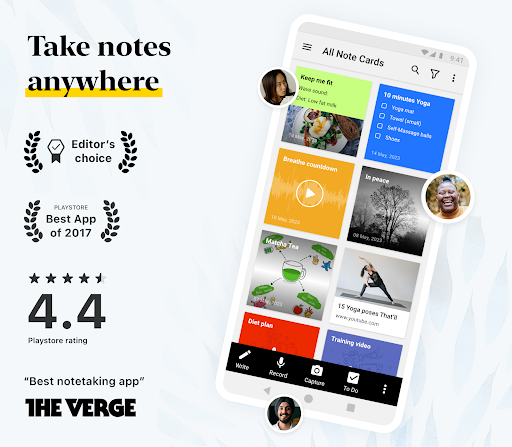


About this app
WHO IT'S FOR
• Students taking lecture notes and revising from them.
• Professionals who need a record of a meeting without typing through it.
• Freelancers and teams tracking tasks, deadlines and clients.
• Anyone keeping a private journal, a daily planner or a grocery checklist.
NEW: CHECKLISTS ARE NOW TO-DO CARDS
• Give each task a due date and time, with reminders before it falls due.
• Repeat it daily, weekly, monthly, yearly or on your own schedule.
• Mark a task Important or Urgent so the right work stands out.
• Break a task into subtasks and link the note that holds the detail.
• Assign a task by email — it lands in that person's own to do list.
• Open To Do to see every task from every notebook, with Upcoming, Overdue and Assigned to me views.
WHAT PEOPLE USE NOTEBOOK FOR
1. Meeting notes. Record the meeting; Notebook AI transcribes it live and writes the summary and action items — so you can take part instead of typing.
2. Lecture and study notes. Record a lecture while you type, and scan textbooks and handwritten pages into searchable PDFs — findable months later.
3. A private diary or journal. Lock any note with a password, fingerprint or face lock — private even on a shared device.
4. Research. Save articles with the Web Clipper, add files and photos, and search the text inside images and scans.
QUESTIONS PEOPLE ASK
What kind of notes app is Notebook?
A free notes app and digital notepad combining an AI note taker, task organizer, document scanner and private journal. Seven card types: text, to-do, audio, photo, smart, sketch and file.
Can I manage my to do list in Notebook?
Yes. Each task gets a due date, reminder, repeat schedule, priority and subtasks, and the To Do section gathers tasks from every notebook into Upcoming, Overdue and Completed views. Assign a task by email and it appears in that person's own To Do — a shared note becomes a collaborative task manager.
Can Notebook take notes in my meetings for me?
Yes. Record or upload audio or video and Notebook AI transcribes it in real time and writes a summary with action items. It also turns rough ideas into outlines, to do lists or mind maps, and can break a task into steps.
Is Notebook good for students?
Yes. Record a lecture while typing, handwrite with the S Pen or a stylus, scan textbooks into searchable PDFs, and search any phrase.
Can I switch from Evernote, Google Keep or OneNote?
Yes. Migration tools import your notes, so nothing is left behind.
Does Notebook work offline?
Yes. Create, edit and read notes offline; they sync when you reconnect, across Android, iOS, Mac, Windows and web.
Is Notebook free?
Yes. The free plan includes 500 MB of cloud storage, with no ads or hidden fees. Notebook AI, subtasks, repeating tasks and task assignment are on the paid plans.
Is my data private?
Notes are encrypted in transit and at rest. Zoho never sells your data and shares none with third parties.
BUILT FOR ANDROID
• A To Do home-screen widget — tick tasks off without opening the app.
• Note widgets, pinned shortcuts and a Quick Settings tile.
• Swipe left to delete a task, swipe right to make it a subtask.
• Task notifications with Mark as completed, Reschedule and Snooze.
• Multi-window, picture-in-picture, shortcuts, printing.
MORE IN THE APP
• One card holds text, to-dos, tables, images and audio.
• Nested notebooks, tags and custom sorting keep notes findable.
• Handwrite and sketch with the S Pen or a stylus; add videos.
• Share with view or edit access, publish a link, or export as PDF.
• Connect Notebook to Claude, ChatGPT and other AI tools via MCP.
Editors' Choice on Google Play, with over 5 million downloads. Ad-free and synced across your devices.
App Info
App Permissions
-
Identity
- find accounts on the device
- add or remove accounts
-
Contacts
- find accounts on the device
- read your contacts
-
Location
- approximate location (network-based)
- precise location (GPS and network-based)
-
Phone
- read phone status and identity
-
Photos/Media/Files
- read the contents of your USB storage
- modify or delete the contents of your USB storage
-
Storage
- read the contents of your USB storage
- modify or delete the contents of your USB storage
-
Camera
- take pictures and videos
-
Microphone
- record audio
-
Wi-Fi connection information
- view Wi-Fi connections
-
Device ID & call information
- read phone status and identity
-
Other
- receive data from Internet
- view network connections
- create accounts and set passwords
- full network access
- change your audio settings
- run at startup
- use accounts on the device
- control vibration
- prevent device from sleeping
- install shortcuts
- uninstall shortcuts
- Google Play license check
- read Google service configuration


Ratings and Reviews
Longtime Evernote user departed due to slow connection, action response & pricing. Zoho- nice layout similar. I've started with "Pro" & as Evernote SLOWLY migrates more, I'm sure I'll have to move to Pro Plus & UP. Day 9 of migration & still shows no data migrated. MANY CRASHES, barely functions on two of three devices, a tablets & a phone. Every time I look for updates, there is one as with this instance. Two stars, up from one & I'll see if things are getting better.
Sync error, Even after manually initiating the sync feature across devices, Notes are failing to sync and update, causing newly created notes to remain unavailable on other devices due to recurring synchronization issues.
i cant search any key words in 'my notecard' section. pleawe help and fix this issue for my Samsung A35 5g phone
Been using it for the last 6 months, This is the best app For notetaking.
Requires sign up.
This app was great until they did an update. I use it for my grocery lists and it doesnt let me edit. I can change something but when I go back my changes arent saved. very frustrating! now I will need to find a different app.
Similar Apps

Notepad Notes

Notes : Color Folders & To-dos

Color Notes, Notebook, Notepad

Notepad - simple notes

Notepad - Notes and Tasks

YesWriter - Writing, Notes
More by Developer

Zoho Mail - Email and Calendar

Authenticator App - OneAuth

Zoho Meeting - Meet Virtually

Zoho Invoice - Invoice Maker
Notebook: Notes, Journal, AI
