

Smallpdf: Scanner & PDF Editor
Productivity




Acerca de esta app
Smallpdf is your go-to PDF tool, designed to simplify your document management. Whether you need to convert, compress, edit, sign, merge, split, or scan PDFs, our app makes it effortless. Trusted by 1.7 billion people since 2013, Smallpdf offers a seamless PDF experience right at your fingertips.
Key Features:
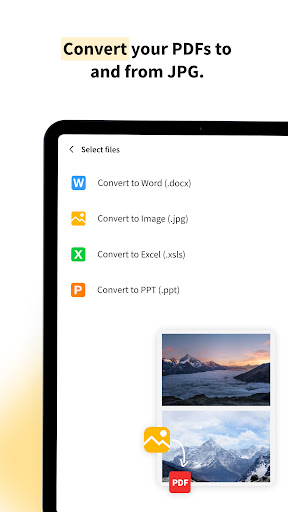
• Convert PDFs Across All Document Formats Easily:
- PDF to Word doc
- PDF to Excel
- PDF to PPT
- PDF to JPG
- PDF to PNG
- Images to PDF and vice versa!
• Edit PDFs:
- Edit text, images, and links directly in your PDF files
- Add annotations, highlights, and comments easily
- Rotate, delete, and rearrange PDF pages
- Modify PDF text
- PDF editing tools
• Compress PDFs:
- Reduce the file size of your PDFs without compromising quality
- Optimize PDFs for sharing and saving storage space
- Shrink PDF files
- Compress PDF documents
• Sign PDFs:
- Add e-signatures to your documents
- Request signatures from others and track the signing process in real-time
- Digitally sign PDFs securely
- Electronic signatures for PDFs
• Merge & Split PDFs:
- Combine multiple PDF files into one
- Split a large PDF into smaller, more manageable parts
- Merge PDF documents
- Split PDF pages
• Scan Documents to PDF:
- Use your camera to scan documents, receipts, notes, and more into PDFs
- Enhance scans with automatic cropping and optimization
- Convert scanned images to editable text with OCR
- Scan image to PDF
- Scan doc to PDF
- Scan jpg to PDF
- Scan receipts to PD
• OCR Technology:
- Convert scanned documents into editable text with our advanced OCR feature
- Support for multiple languages
- OCR PDF converter
- Text recognition in PDFs
Why Choose Smallpdf?
• User-Friendly Interface: Intuitive and easy to navigate, making PDF tasks simpler than ever.
• Cloud Integration: Access and save your files directly from Google Drive, Dropbox, and other cloud services. Local device storage is available too.
• Privacy and data protection: All uploaded files deleted 1 hour after processing (unless saved locally or to the cloud)
• Cross-Platform Availability: All major operating systems. Available on iOS, Android, and desktop. Work on your PDFs anytime, anywhere.
• Fast and Reliable: Quick processing times ensure you can get your work done efficiently.
• High Security: We prioritize your privacy and data security, complying with GDPR standards.
Additional Features:
• PDF Reader: View and read PDF documents with ease.
• PDF Scanner: Quickly scan and digitize your paper documents.
• PDF Filler: Fill out PDF forms and documents electronically.
• PDF Maker: Create PDFs from various file formats effortlessly.
• PDF Annotator: Highlight, underline, and strikethrough text in your PDFs.
Download Smallpdf Now!
Smallpdf is free to use with 1 daily tool task per day!
If you would like to try out PRO for unlimited conversions across ALL tools, there’s a free 7-day trial available. Monthly subscription available for $7.99 per month or save 48% on an annual plan!
Team & Enterprise plans available for businesses upon request. Prices may vary from country to country.
Smallpdf for Business
Smallpdf App is the all-in-one business solution app for all your document organization needs. Simplify your tax return or scan in receipts easily using your camera to save, edit and manage thousands of documents in all formats. Save backups on the drive or share directly to email to manage your documents on the go!
Join 1.7B+ satisfied users and simplify your PDF tasks today. Download Smallpdf and enjoy a free trial of all premium features.
We love feedback, so feel free to send yours to [email protected].
Info de la App
Novedades
- We’ve squashed some bugs and improved app stability.
We're improving your experience with every new release, so stay tuned to get the most out of the Smallpdf Mobile App! :)
We love feedback, so feel free to send yours to [email protected].
Permisos de la aplicación
-
Camera
- take pictures and videos
-
Other
- view network connections
- create accounts and set passwords
- full network access
- run at startup
- reorder running apps
- prevent device from sleeping
- Google Play license check


Calificaciones y opiniones
cool
I don't see ads so far. the only free thing you can use this is to view a document, anything than that is locked behind paywall. fine for me who only need to read the doc without modifying it
A very good app. with friendly interface. and free tool
grabee kanindot ani na aapss .kay maka write paka og klaro makasign paka sa signature with free na masave nimo ang files .The best app ever if mag sign2x kag documentss.
tabah
Best of the Best 👍🏼👍🏼🆙. This Small guy does a lot simpler and way better than Goliath PDF Editors. Can change JPG to PDF formats, compresses my PDFs up to 75% keeping clear quality, fills docs info, and same fast results when editing online on their website. Humble like David🎯. Take care of him. ⭐x5⃣½.