

MuseLead Synthesizer Pro
Music & Audio




À propos de cette app
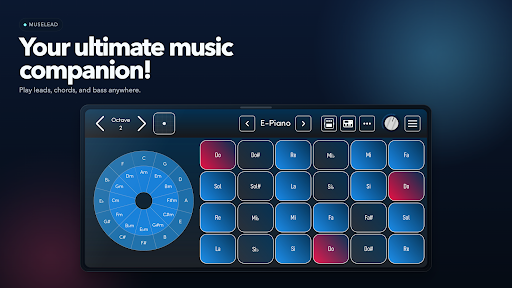
Turn your phone into a real instrument. MuseLead lets you play synth leads, chords, bass lines, and melodies with a responsive multi-touch surface built for expression.
Slide between notes, shape vibrato, play with multiple fingers at once, and control your sound in ways a standard mobile keyboard can’t. Whether you want to jam, sketch ideas, practice, or control your synths over MIDI, MuseLead makes music creation feel immediate and alive.
If you enjoy expressive sliding-keyboard apps such as GeoShred or MorphWiz, MuseLead offers a similar level of control, capturing the signature ability to blend the precision of a keyboard with the soulful expression of a string instrument. Focused on MPE, microtonal scales and analog-style synthesis.
🎹 Expressive Synth – play leads, chords, bass, and melodies on a touch instrument that feels musical.
🎛 MPE MIDI Controller – connect to DAWs, hardware synths, and virtual instruments with expressive per-note control.
🎼 Scales & Layouts – play in any key and explore layouts that fit your style.
🎵 Chords & Arpeggiator – build progressions, jam faster, and discover new ideas.
📼 Record Audio – capture riffs, sketches, and practice sessions instantly.
🎨 Customizable Instrument – adjust layout and controls to match the way you play.
MuseLead isn’t a DAW. It’s a real instrument for musicians, producers, and synth players who want more expression than a typical keyboard app.
👉 Download MuseLead today and turn your phone into an expressive synth and MIDI controller.
Info App
Nouveautés
Autorisations de l'application
-
Location
- precise location (GPS and network-based)
-
Microphone
- record audio
-
Other
- view network connections
- pair with Bluetooth devices
- access Bluetooth settings
- full network access
- change your audio settings
- run at startup
- prevent device from sleeping
- Google Play license check


Notes et avis
I've been using various apps for music production now for more than a decade. finding good usable piano/keyboard apps are very rare. WITHOUT QUESTION, THIS APP IS HANDS DOWN THE BEST OF IT'S TYPE BY A UNIVERSE! & It's only getting better. I (NELCHID, award winning songwriter) personally guarantee an excellence in standard. Extremely Clean, stable & progressive
I get some cracking sounds when I use some of the presets, like Flute 2 or Acoustic Guitar. How can we fix it? This happens with earphones as well as the built in speaker.
awesome app thanks...
very good app with certain downsides 1. 3 fingers don't play together. 2. some Good atleast you replied. I increased from 1 to 2 star now. Can you put on more piano sounds like Piano HD.
pls give an option to change the sample rate, since 48000 is giving to much cracling noise
In MSynth, the parameter values are not displayed. For example, if we want to adjust the transpose, the value is not shown and there's no way to know what's the transpose value set currently. We need to manually count how many steps we rotated the transpose knob and it's difficult adjust precisely since we can't see the actual value.
