




À propos de cette app
Seestar is a smart device that integrates the functions of an altazimuth mount, telescope, and camera, with both hardware and software applications. With the Seestar App, you can easily control this multifunctional device and explore the infinite world of stars.
Key features:
- Wireless control: Control with Seestar device through wireless connection.
- Stargazing Mode: Automatically find and focus on celestial objects, intelligently identify stars and track them for automatic capturing and image processing.
- Solar Mode: Support auto-scan and solar tracking. Use the included Solar Filter to observe the unique sun.
- Scenery mode: Manually control the telescope direction and auto-focus, so you can enjoy observing birds and landscapes.
-Sky Atlas: Built-in curated celestial object database AND a rich astronomical knowledge encyclopedia,help you easily understand the mystery of starry sky.
- Stargazing Index forecasts and popular Recommendations: Stay updated with popular information, making you an expert in astronomical events.
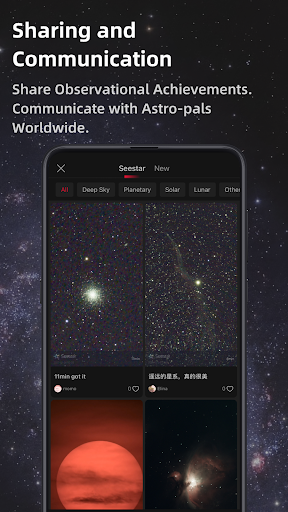
- Share Your Work in the Square: Engage and exchange insights with astronomy enthusiasts from around the world, showcasing your observational achievements.
- Adaptation Model: It will work with all Seestar models.
Seestar is your ideal companion for exploring the universe, observing the stars and sharing experiences. Download Seestar App now and Explore the universe with Seestar.
Info App
Nouveautés
-Fixed an issue with compass calibration failures
-Fixed known bugs
Autorisations de l'application
-
Location
- approximate location (network-based)
- precise location (GPS and network-based)
-
Phone
- read phone status and identity
-
Photos/Media/Files
- erase USB storage
- access USB storage filesystem
- read the contents of your USB storage
- modify or delete the contents of your USB storage
-
Storage
- read the contents of your USB storage
- modify or delete the contents of your USB storage
-
Camera
- take pictures and videos
-
Microphone
- record audio
-
Wi-Fi connection information
- view Wi-Fi connections
-
Device ID & call information
- read phone status and identity
-
Other
- receive data from Internet
- view network connections
- pair with Bluetooth devices
- access Bluetooth settings
- change network connectivity
- connect and disconnect from Wi-Fi
- full network access
- control Near Field Communication
- run at startup
- control vibration
- prevent device from sleeping
- modify system settings


Notes et avis
terrible UI and UX from awful decisions by management probably forced onto the devs. the new s50 pro is unable to do Milky way moasics correctly. I can't rely on Plans and go to sleep trusting them. Its a terrible experience and I'm letting YOU know
works well. would love an alert feature for clear skies. e.g send a notification if my location has clear skies at 21:00
Easy to use, very good
I've just pre-ordered the S50 Pro, & installed this app on my Galaxy Tab S10+, so I'll have it ready when the scope arrives. I'm really annoyed to see that the app doesn't support landscape display. :-( My cover for the tab will let me stand it up in landscape orientation, but not portrait. Yes, there's an Android setting that will force the app to orientation that way, but the aspect ratio is still portrait. PLEASE update the app to support either orientation. Thanks.
buggy, but still good for deep sky imaging
One thing you can always count on with ZWO is that they take their product users feedback into consideration and even include it in product software updates. The application now compared to when the Seestar s50 came out in 2023 is honestly incredible to say the least. Very user friendly for beginners & advanced users.


