

LG Smart TV Remote Control
Tools


על אפליקציה זו
LG Remote Control for LG TV plus connects to your smart TV over WiFi and lets you turn your TV on and off, change channels, adjust the volume, enter text using a real keyboard, control all smart TV features, and much more.
Upgrade your clunky remote to a LG Remote Control app!
Key Features
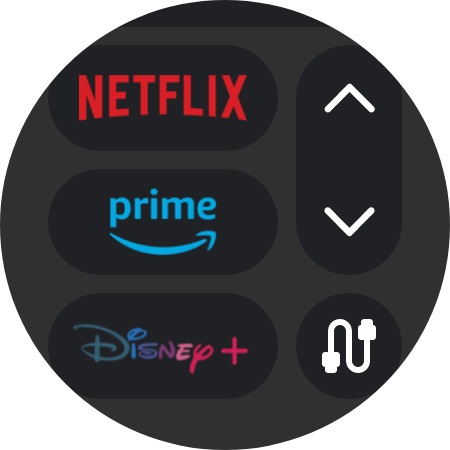
☑️ Wear OS. Control your LG TV remote from your wrist
☑️ Turn Smart TV ON or OFF (Supported models only)
☑️ Switch channels by scrolling or entering a number.
☑️ Adjust the volume with LG TV Remote
☑️ Instant mute: one tap with LG Remote Control
☑️ Change the input source (HDMI, PC, AV, etc)
☑️ Control multiple Smart TVs from one place
☑️ Navigate features with LG TV Remote
☑️ Add LG TV plus widget to your home screen
☑️ Use the trackpad while browsing the web
☑️ Quick access to built-in smart apps like Netflix
☑️ Widget directly integrated into the notification center
☑️ Media content: You can easily stream your local content to your LG TV plus directly from the app.
LG Smart TV Remote Control app is compatible with all the LG Smart TV OLED and NanoCell TVs with WebOS and Netcast systems.
FYI - We use this LG TV Remote ourselves, so we're always working hard to add more features. We'd love to hear how you use lg smart tv remote control, so please leave us a review and a rating.
Disclaimer:
LG Smart TV Remote Control is not an official LG ThinQ application. We are not affiliated with LG Electronics in any way.
מידע על האפליקציה
הרשאות אפליקציה
-
Wi-Fi connection information
- view Wi-Fi connections
-
Other
- receive data from Internet
- view network connections
- change network connectivity
- allow Wi-Fi Multicast reception
- connect and disconnect from Wi-Fi
- full network access
- control vibration
- prevent device from sleeping
- Google Play license check
- read Google service configuration


דירוגים וביקורות
too much ads
HORRIBLE! WORTHLESS UNLESS YOU PAY $70 lifetime, $288/yr(6$ week) or $40 each year. if you try to use it for free, each click incurs an ad, making it impossible to use....
I bought the lifetime and it won't restore purchase
can't use the features, locked behind ads and paywall
absolutely unmanageable app, there is no actual way to try it without being pushed to purchase. Would never pay for such an invasive app
unusable, add displays every time you press any button, basically trying to force you to purchase a plan. Uninstall and avoid
אפליקציות דומות

Meow To-Do List & Tasks

Miuu Note: Cute Diary Journal

Foxtale - Mood Tracker Journal

Live Weather Forecast : VR

StayOff: Screen Time & Focus

Fito: Fitness Streak, Calorie
עוד מאת המפתח

Quran Pro - القران الكريم

Athan Pro: Prayer Times & Azan
LG Smart TV Remote Control

Universal Remote for Smart TV

Remote for Samsung Smart TV
