

SubX Player: AI Dual Subtitles
Education




Info su questa app
Generate and translate subtitles offline from any video, create bilingual subtitles, and learn languages through real content like movies, podcasts, anime, YouTube videos, and audiobooks.
Practice listening, shadowing, repetition, and sentence mining using subtitle-based learning tools designed for immersion learning.
🎬 Core Features
• AI Subtitle Generation – Generate and translate subtitles offline to create dual subtitles from any video. Choose fast or accurate AI models. Fully private and on-device.
• Play Any Format – Supports MKV, MP4, AVI, MOV, M3U/M3U8, MP3, WAV, FLAC and more.
• Subtitle Format Support – SRT, WebVTT (VTT), LRC and more.
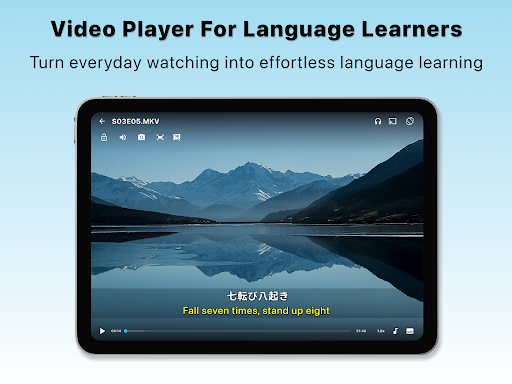
• Dual Subtitles – Display bilingual subtitles to compare meaning, improve comprehension, and stay immersed.
• Subtitle List View – Browse subtitle lines in a clean, scrollable list for navigation, review, immersion learning, and language study.
• Subtitle Styling – Customize font, size, color, timing, and position.
• Automatic Media Detection – Scan and organize your media library instantly.
• Online Streaming – Stream from URLs with history and favorites.
• Gesture Controls – Swipe to seek, adjust brightness and volume.
• Keyboard Shortcuts – Control playback and subtitle study efficiently with external keyboards.
• Background Playback – Continue listening practice with the screen off.
• Customizable Interface – Personalize layout, controls, and subtitles.
• Casting Support – Cast videos with bilingual subtitle support and subtitle controls.
• Subtitle Gestures – Resize and reposition subtitles with gestures.
• Folder Playlists – Play an entire folder with Shuffle, Repeat One, and Repeat All
• Practice Mode (YouTube) – Practice language learning with curated YouTube videos and dual subtitles.
• SubX Clip – Create short clips from subtitle moments for sharing, review, and sentence mining practice.
💎 SubX+ Premium Features
• Subtitle Translation – Translate subtitles offline or online to create bilingual subtitles in 130+ languages.
• Seek by Subtitle – Jump between subtitle lines for listening practice and dialogue repetition.
• Auto Pause – Pause at each subtitle line.
• Auto Skip – Skip silent or empty lines.
• Auto Repeat – Repeat subtitle lines for shadowing and listening practice with adjustable delay and count.
• Selectable Text – Copy, translate, and study subtitle text instantly.
• Anki Export – Export subtitle lines as Anki flashcards with optional audio for vocabulary building and sentence mining.
• Subtitle Editing – Edit subtitle text and timing to improve subtitle accuracy and synchronization.
• Subtitle Export – Export as SRT, VTT, TXT, or PDF.
• Ad-Free Experience – No ads anywhere in the app.
🧠 Why SubX?
SubX turns any video into a subtitle-powered language learning environment.
Generate subtitles offline, translate them into bilingual subtitles, and learn through real-world content—even when subtitles don’t exist.
Watch, pause, repeat, and actively learn through listening practice, shadowing, and sentence-based learning.
Movies, podcasts, audiobooks, YouTube, or personal media become structured learning material.
🎯 Who SubX Is For
For language learners who use real content for immersion-based learning.
Ideal for improving listening comprehension, building vocabulary through sentence mining, and practicing shadowing with bilingual subtitles.
Works best for learners using movies, series, podcasts, audiobooks, YouTube, and personal video libraries.
⭐ Download SubX and turn any video into a bilingual subtitle learning experience and study languages through real content, not textbooks.
Info App
Novità
• Improved Devanagari-to-Hinglish (Latin script) subtitle transliteration accuracy.
• Fixed a brief audio pause when moving video playback to the background.
• General performance improvements and bug fixes.
Autorizzazioni app
-
Photos/Media/Files
- read the contents of your USB storage
- modify or delete the contents of your USB storage
-
Storage
- read the contents of your USB storage
- modify or delete the contents of your USB storage
-
Other
- view network connections
- full network access
- control vibration
- prevent device from sleeping
- Google Play license check


Valutazioni e recensioni
Request to Add Login and Account Recovery Option to the Premium App
The app is amazing! So many bugs have been fixed, and the overall experience has improved significantly. I'm absolutely loving it, and I've even purchased the premium version to support the developers. Thank you to the entire team for creating such a useful and much-needed app! I have one feature request: Please consider adding the ability to navigate to the next or previous subtitle using the phone's volume buttons. This would be incredibly convenient for people learning English, as they could
subtitle creation failed every attempt... could you solve this ? thanks for solving my problem.
nice
..dont bother install
app just works. easy to create subtitles
