

Planner Pro - Daily Calendar
Productivity




Info su questa app
Planner Pro provides kinds of settings for different requirements from kinds of people. You’ll find the best way to meet your requirements in our app. Also, if you have any other great ideas or suggestions to make this app better please contact us with an email, which will be very appreciate.
Events
- Sync with Google calendar and events
- Show or hide calendars as you want
- Add, edit or delete events easily
- Supports full recurring period
- Manually time slot
- Supports all-day & cross-day events
Tasks
- Supports tasks and projects with sub-tasks
- Supports recurring tasks and projects
- 5 different status for tasks and projects
- 25 priorities for tasks and projects
- System reminder for each task
Notes
- Unlimited number of notes for each day
- Manage notes in day, week and month view
- Easily to add, edit and delete notes
Pomodoro
- Add any activities you want to focus on
- Study, work, fitness, entertainment and other categories for activities
- Add reminders for each activity
- Multiple white noise and alert tones to choose from
- Supports quick focus
- Supports continuous timing or manual timing
Other Key Features
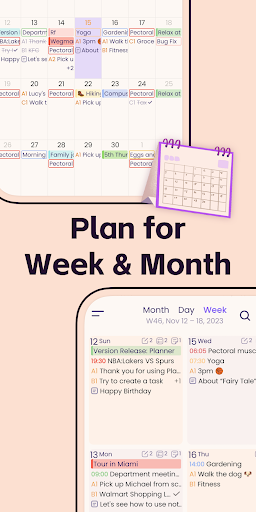
- Day, Week, Month and Tasks modules for better management
- Very well designed user interface
- Full records searching including events, tasks and notes
- Set the first day of week manually
- Select the launch view as you want
This version is an ad-supported version and has some function restrictions, we also offer an ad-free version which is available as subscription.
Payment models for Premium Subscription:
- $3.99/month
- $19.99/year
Please note the subscription is automatically renewed unless you choose to cancel the subscription at least 24 hours before the end of the current period in Subscriptions on Google Play.
Permissions Used in Planner Pro:
1. Calendar: Planner Pro needs this permission to read events from local calendars.
2. Contacts: Planner Pro needs this permission to read contact from local device when you choose to invite an attendee from local contacts.
3. Files and media: Planner Pro needs this permission to read photos from Gallery when you choose to upload a photo.
4. Microphone: Planner Pro needs this permission to record audio and directly add audio files to the note.
We're glad to hear your feedback. If you have any problems or suggestions please send a mail to [email protected], you’ll get a response in a short time.
Info App
Novità
The new version improves the app stability and fixes some minor bugs to help us serve you better.
We're glad to hear your feedback. If you have any questions or suggestions please feel free to contact us at [email protected] .
Autorizzazioni app
-
Calendar
- read calendar events plus confidential information
- add or modify calendar events and send email to guests without owners' knowledge
-
Contacts
- read your contacts
-
Photos/Media/Files
- read the contents of your USB storage
- modify or delete the contents of your USB storage
-
Storage
- read the contents of your USB storage
- modify or delete the contents of your USB storage
-
Microphone
- record audio
-
Other
- view network connections
- full network access
- run at startup
- use accounts on the device
- control vibration
- prevent device from sleeping


Valutazioni e recensioni
Greatly improved comment from me. MUCH better than when I started using 5+ yrs ago. My use has expanded to include more that simple the calendar mgmnt tools. I highly recommend this app. One of the few apps I've purchased that I still use.
good
After installing Planner Pro, the only thing that showed up was a blank screen 😞.
hi can u please tell me how to adjusts tasks in day view to show latest tasks first?
This is the most like the Franklin Covey time management planner that I have used for over 20 years. Easy to use! Sync's easily with all of my calendars.
Great App!


