

Icon Pack Studio
Personalization


이 앱 정보
Discover a design from the community or create your own from scratch. From clean monochrome icons to colorful designs with depth and texture, make your apps look like they belong together.
A matching icon for every app
No more beautiful icon packs with a handful of apps that don’t fit. Icon Pack Studio generates icons for the apps installed on your device, giving familiar favorites and less common apps a consistent look. You don’t have to wait for someone to design a missing icon.
Find your next look
Explore icon packs shared by the IPS community. Try a different style, discover new creators and find inspiration for your next home screen.
Found something you like? Open it in the icon editor and make it yours. Change a color, adjust a shape or take the design in a completely different direction. You can also share your creations with the community.
Create more than a different color
Control the shapes, colors, sizes and positioning of your icons. Customize backgrounds and outlines, then add lighting and shadows to bring your design to life.
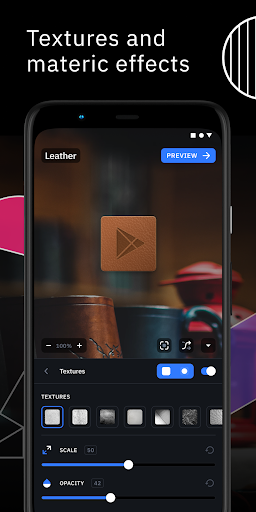
Go further with Pro effects including textures, glow, perspective, color filters and pixelation. Combine effects for a subtle finish or a look that stands out.
Preview your changes as you edit, experiment with different combinations and save the designs you want to keep.
Reimagine the icon packs you own
Give an existing favorite a fresh look. Import a supported icon pack installed on your device and customize it with the editor. Bring its appearance closer to your wallpaper, your home screen or your next idea.
Keep your launcher. Make it yours.
Personalize your home screen with custom icons while keeping the launcher you enjoy. Icon Pack Studio offers ways to use your icons on any launcher, including Pixel Launcher and Samsung One UI, with deeper integration in Smart Launcher.
Keep your favorite creations
Build a personal library of icon packs, revisit your designs and switch styles whenever you want a change. Enable Google Drive backup to restore your packs when you move to another device.
Some effects and community packs require Pro. Imported artwork remains subject to its creator’s rights. Exported icon packs are for personal use.
Create a look you love, down to the last icon.
앱 정보
새로운 기능
- Export as APK is now in the pack menu too
- Logos are sized more evenly, and logos designed to run past the icon edge keep their look
- Fixed gradients on polygon backgrounds
- Translation updates
앱 권한
-
Photos/Media/Files
- modify or delete the contents of your USB storage
-
Storage
- modify or delete the contents of your USB storage
-
Other
- receive data from Internet
- view network connections
- full network access
- run at startup
- prevent device from sleeping
- install shortcuts
- read Google service configuration


평가 및 리뷰
It’s a shame when you buy an app, while feedback falls on deaf ears. I am still using V2.1 because since version 2.2 the icon base don't have a common appearance anymore. Ones are additive others are subtractive and have chaotic size. Some icons of unknown apps just appear as black squares or circles instead of native icons. And now there are crashes after saving and applying icon packs. The app is constantly degrading in absolute basics, despite additional functionality.
Poor support, no one seems to read 1) no support for dynamic icons 2) remove prompt when you compile icon on OneUi stock launcher. (The prompt that shows "Ok" and Improve the Process") 3) option to auto save apk with the icon pack name 4) directly apply icons to home & app without prompt 5) rotate icon pack automatically 6) downloaded icons should have option to apply & reflect as downloaded 7) option to search in library 8) icons download is diff from preview 9) highlight 3rd party icon packs..
good but needs improvement certain app icons like mobitel network carrier app icon does not align correctly instead theres a white background behind it looks like a frame wish the icon image covers the entire icon instead of white background overall nice app please make things look good
awsome app its actually the best
make it more customization without money
this app is really good you must downloaded it because it is really worth it


