



이 앱 정보
Founded as a science-based nonprofit, How We Feel is made possible by donations from people who are passionate about bringing mental wellbeing to the widest possible audience. Our data privacy policy puts you in control of how your data is stored and shared. Data is stored on your device unless you choose to send your data to an alternative storage solution. Data is only accessible by you unless you choose to share it with others. Data is not used for research unless you opt-in to contribute an anonymized version of your data for research studies designed to help more people.
Whether you are downloading this app in order to build better relationships, make your emotions to work for you, not against you, improve how you handle stress and anxiety or simply to feel better, How We Feel will help you identify patterns and find emotional regulation strategies that will work for you. The How We Feel friends feature allows you to share how you feel with the people you trust most in real time, strengthening your most important relationships.
Filled with step-by-step video strategies you can do in as little as one minute on themes like “Change Your Thinking” to help you address negative thought patterns with cognitive strategies; “Move Your Body” to express and release emotions through movement strategies; “Be Mindful” to gain perspective and minimize the negative impact of misunderstood emotions with mindfulness strategies; “Reach Out” to build intimacy and trust, two important tools for emotional wellbeing, with social strategies.
앱 정보
새로운 기능
Today tab: Your check-ins, friend reactions and suggested tools are now in one place, on a new home screen for your day.
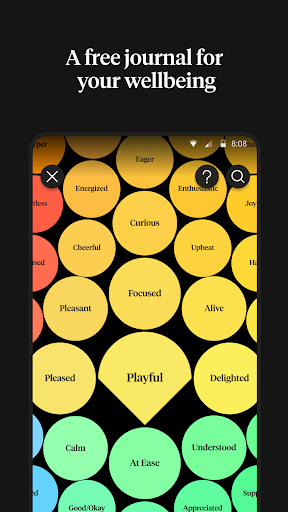
Calendar tab: Your history and your insights are now together in one tab. Tap the bubbles to filter your charts and see how you have been feeling over time. You can now also see your trends over time.
앱 권한
-
Location
- approximate location (network-based)
- precise location (GPS and network-based)
-
Photos/Media/Files
- read the contents of your USB storage
- modify or delete the contents of your USB storage
-
Storage
- read the contents of your USB storage
- modify or delete the contents of your USB storage
-
Camera
- take pictures and videos
-
Microphone
- record audio
-
Other
- receive data from Internet
- view network connections
- full network access
- run at startup
- control vibration
- prevent device from sleeping
- Google Play license check
- read Google service configuration


평가 및 리뷰
I love it a lot. Not only it helps you record your emotions in a very detailed way (not just sad or happy), you can also record your physical conditions and monthly cycle. There are tips on how to deal with each emotions and i found some to be helpful. Maybe it'd also be great if we can track menstrual cycle automatically based on our records. Overall, it has everything I need so it's perfect.
ios prioritization. developers prioritize coding the app for ios. doesnt properly run on android. makes and releases new features for ios only leaves android users with bare bones version of app. if you see any extra features of this app advertized it will only be for the ios.
never found journaling with pen and paper to really work for me, but having daily check ins with myself has been amazing at helping me be more in touch with my own mental state. the app is so smooth and easy to use, and is adaptive with resources based on your current mood an amazing mental health support!
Love the layout and the easy navigation of the app. Love that it describes different emotions and gives an easy pick option into those as someone who struggles to identify emotions. One thing I would like to suggest is making an option for 3rd shifters. Whenever I try to update sleep it's a little weird since I sleep during the day.
Just the fact you aren't trying to milk people with a subscription like all the other mood apps means you deserve 100 stars. My only issue that made me sad is that I had over a 400 day streak that got wiped out by the last big update
Please bring back the old version. It was neat, easy to navigate. It made sense. The new version feels haphazardly arranged. The most used features are now in corners. They used to be on front and easily accessible.