

Empower®
Finance




About this app
You’re just a few taps away from downloading the app that Forbes gave 4.5/5 stars, describing its features as the “Best for Tracking Net Worth”.
According to CNBC, “If you’re looking for an app that lays out all your income and expenses while giving you access to professional investment advice, Empower may be the budgeting tool you’re looking for. **”
Get the industry-leading tools designed to help you map out your financial dreams and take the steps to reach them:
- Plan for retirement
- Adjust & compare scenarios
- Simulate recessions
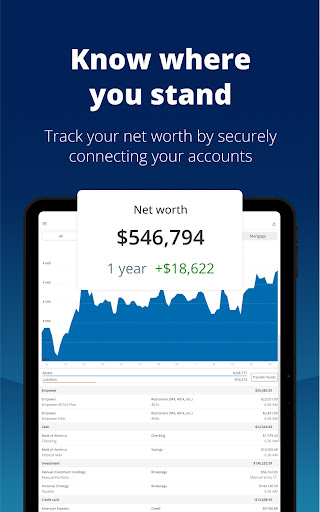
- See all your accounts in one place
- Check for allocation imbalances
- Tackle debt
- Build an emergency fund
- Set & track budgets
- Secure your data with biometric and multi-factor authentication
- And more
Spend less time sorting through spreadsheets, filling out ledgers, and doublechecking individual accounts.
Experience more freedom to focus on what you enjoy. Financial clarity starts with the free Empower Dashboard.
Download today.
--
*Testimonials may not be representative of the experience of other individuals and are not a guarantee of future performance or success.
**Sources: Forbes, March 2025; CNBC, January 2025.
Securities, when presented, are offered and/or distributed by Empower Financial Services, Inc. (EFSI), Member FINRA/SIPC. EFSI is an affiliate of Empower Retirement, LLC; Empower Funds, Inc.; and registered investment adviser Empower Advisory Group, LLC. This material is for informational purposes only and is not intended to provide investment, legal, or tax recommendations or advice.
Advisory services are provided for a fee by Empower Advisory Group, LLC (EAG). EAG is a registered investment adviser with the Securities and Exchange Commission (SEC) and an indirect subsidiary of Empower Annuity Insurance Company of America. Registration does not imply a certain level of skill or training. Investing involves risk. Past performance is not indicative of future returns. You may lose money. Advisory fees are calculated based upon the amount of assets being managed (as detailed further in the Empower Advisory Group, LLC Form ADV).
“EMPOWER” and all associated logos and product names are trademarks of Empower Annuity Insurance Company of America.
©2025 Empower Annuity Insurance Company of America. All rights reserved.
RO4520594-0625
App Info
What's New
the latest version to access new features and improvements. This update includes bug
fixes and performance enhancements.
App Permissions
-
Identity
- find accounts on the device
-
Contacts
- find accounts on the device
-
Phone
- read phone status and identity
-
Photos/Media/Files
- read the contents of your USB storage
- modify or delete the contents of your USB storage
-
Storage
- read the contents of your USB storage
- modify or delete the contents of your USB storage
-
Camera
- take pictures and videos
-
Microphone
- record audio
-
Wi-Fi connection information
- view Wi-Fi connections
-
Device ID & call information
- read phone status and identity
-
Other
- download files without notification
- receive data from Internet
- view network connections
- change network connectivity
- full network access
- change your audio settings
- run at startup
- draw over other apps
- control vibration
- prevent device from sleeping
- Google Play license check
- read Google service configuration


Ratings and Reviews
Biometric login on Android keeps breaking. Editing profile through the app also doesn't work
Horrible user experience. Most people don't log into their retirement accounts often, so if you forget your username because the app updates or it's been a while, too damn bad. Enter in your information to get a code to open it and they send you a SIX digit codes, but require an EIGHT digit code to unlock it. Garbage user interface, I'll be transferring my funds to someone else who can hire a programmer that makes basic things work.
hasn't worked for weeks.
This new update is bad. It took me legitimately 10 minutes to log into my account because they've made the login process more and more convoluted. Like for instance, why can't I paste my 2FA code? Why do I have to manually type it? Why do I STILL have to do 2FA when I use my phone's biometrics to log in? I just want to quickly check on my accounts but it is impossible to do anything quickly here
Easy to use.
I used to be able to use biometric password, now it's not even an option anymore. Also, I frequently need to re authenticate my accounts because they always seem to be broken. There is a mortgage tab, but every time I put pennymac mortgage in, it puts in the loan tab instead.


